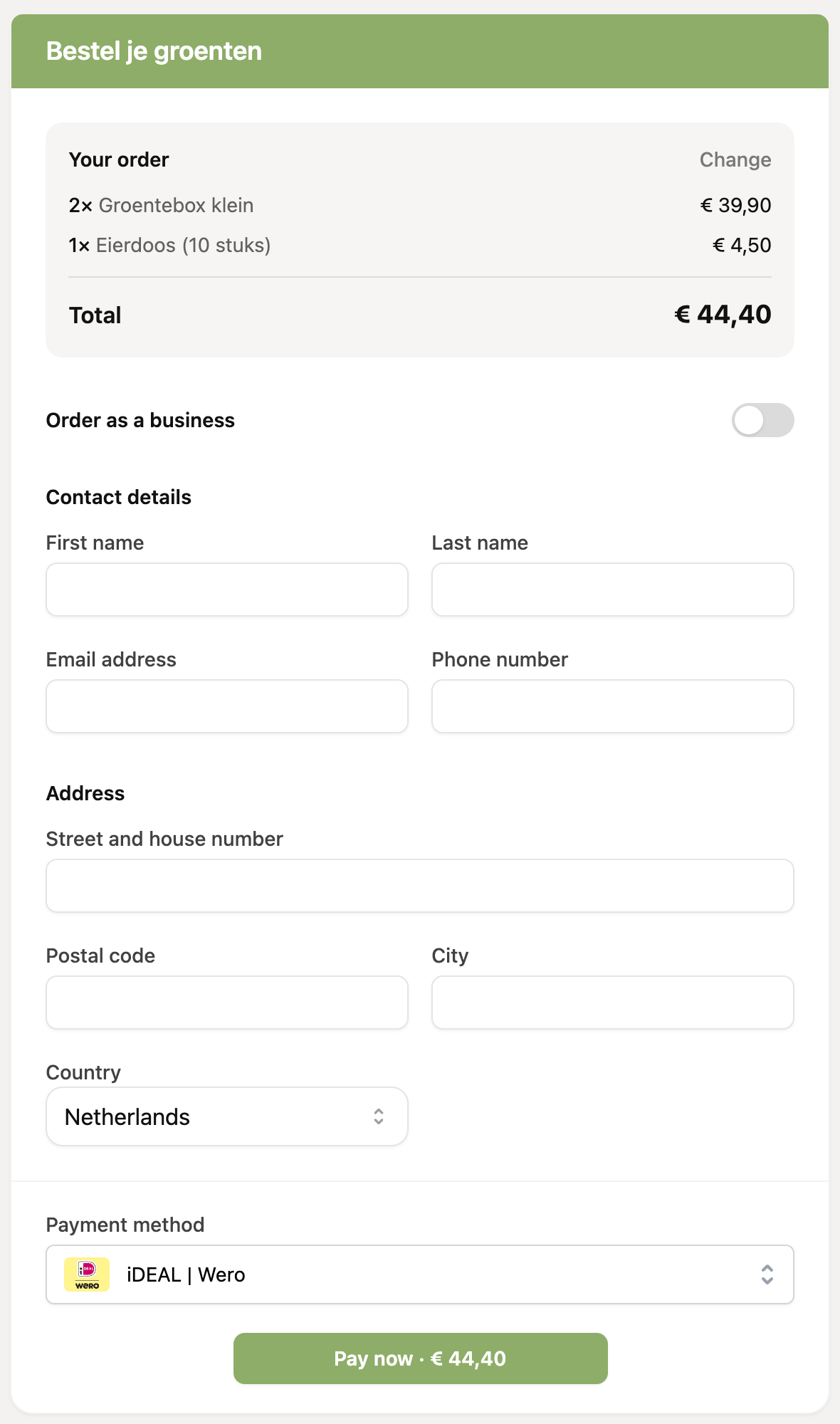
With a payment link of the type “Orders”, customers place an order themselves. The customer picks products, enters their details and pays right away. You set this up in three steps: create products, create a payment link and connect the products to that link.
You create an orders payment link on the Payment links page. Payment links you create from a customer profile do not work for orders.
Do you use an invoicing integration? Enable it first before adding products, so you see the extra fields for your invoicing app in the product form.
Step 1: create your products
Go to Products in the menu and click “Create product”. You choose a type per product:
One-time payment: a one-off payment.
Subscription: RCUR automatically creates recurring orders.
Shipping costs: added automatically to every order. You can charge a fixed amount or set a different rate per country.
How to fill in a product is explained in How do I create a product?. Do you ship to several countries? Read Set shipping costs per country.
Step 2: create the payment link
Go to Payment links and create a new link.
Choose “Orders” as the type and enter a description. Your customer sees the description too.
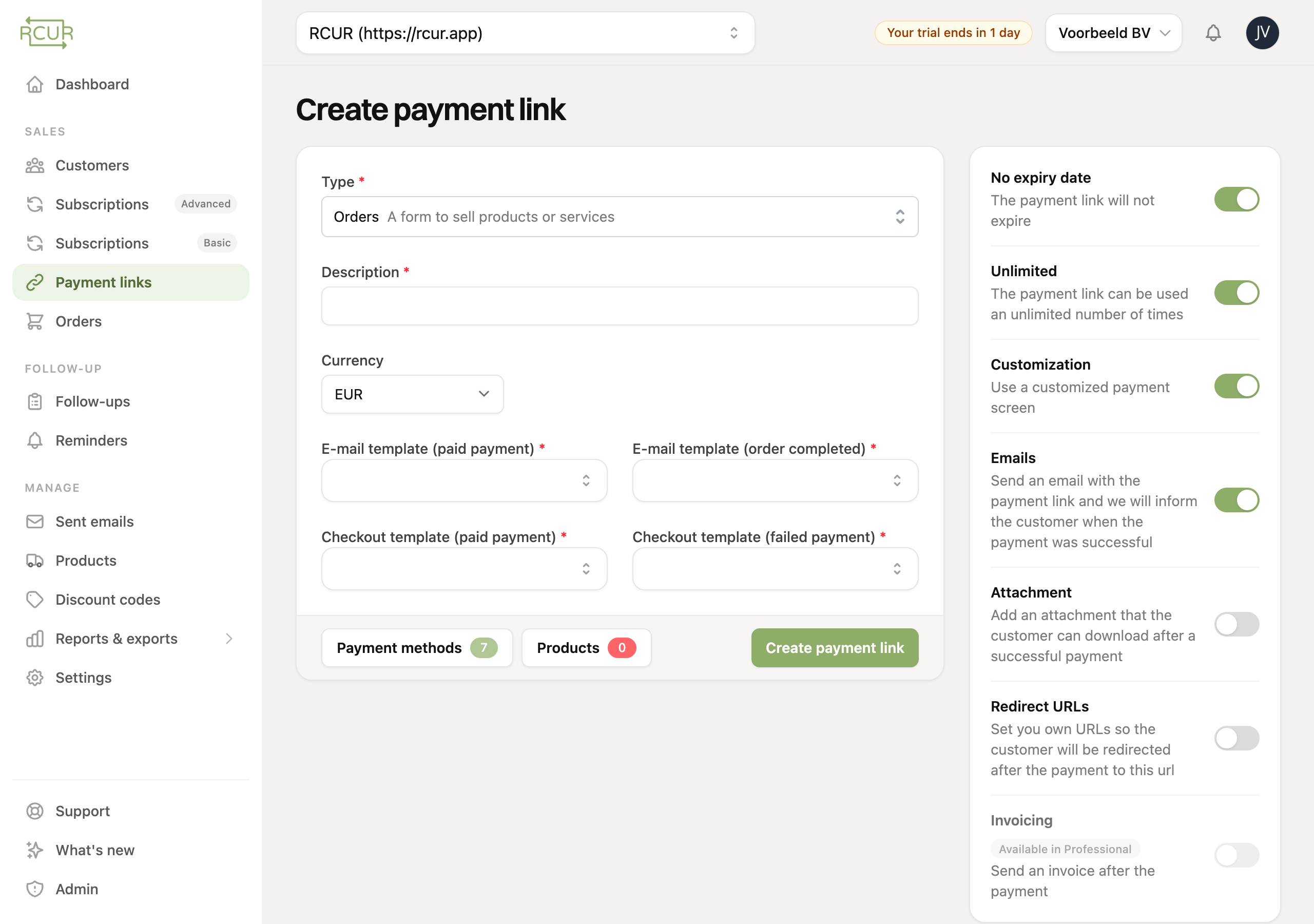
E-mails enabled? Then select the e-mail templates for:
E-mail template (paid payment): as soon as the customer has paid.
E-mail template (order completed): when you mark the order as completed in RCUR.
Also select the checkout templates for a paid and a failed payment.
Adjust payment methods. By default all payment methods are enabled. Click “Payment methods” at the bottom to switch methods off, or to set a fixed or variable fee per payment method.
Step 3: connect the products
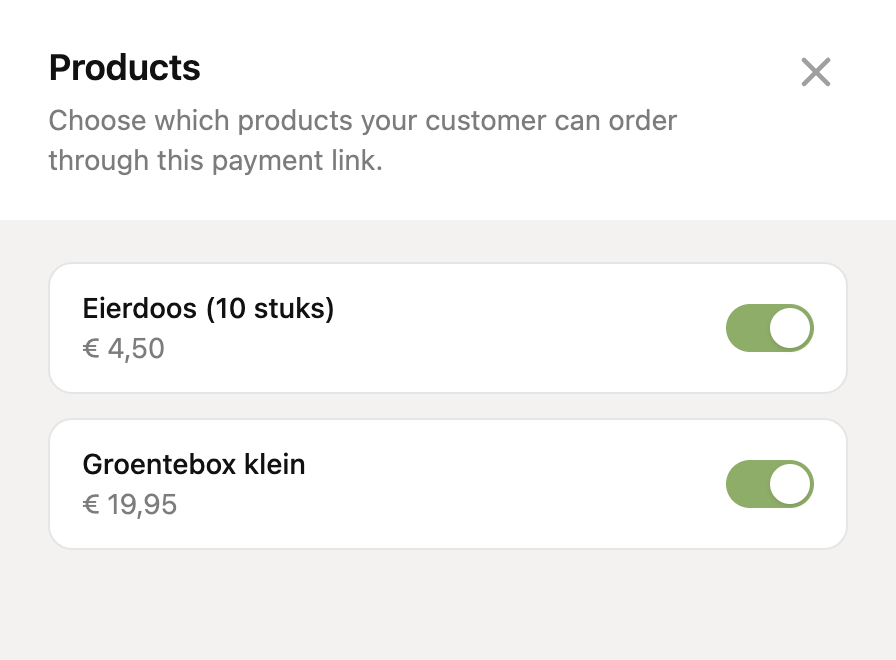
Click “Products” and switch on the products you want to offer via this link. You can select multiple products, and for shipping costs multiple rates.
Click “Create payment link”. Your payment link is ready to share.
You can only select products with the same currency as the payment link.
How it looks for the customer
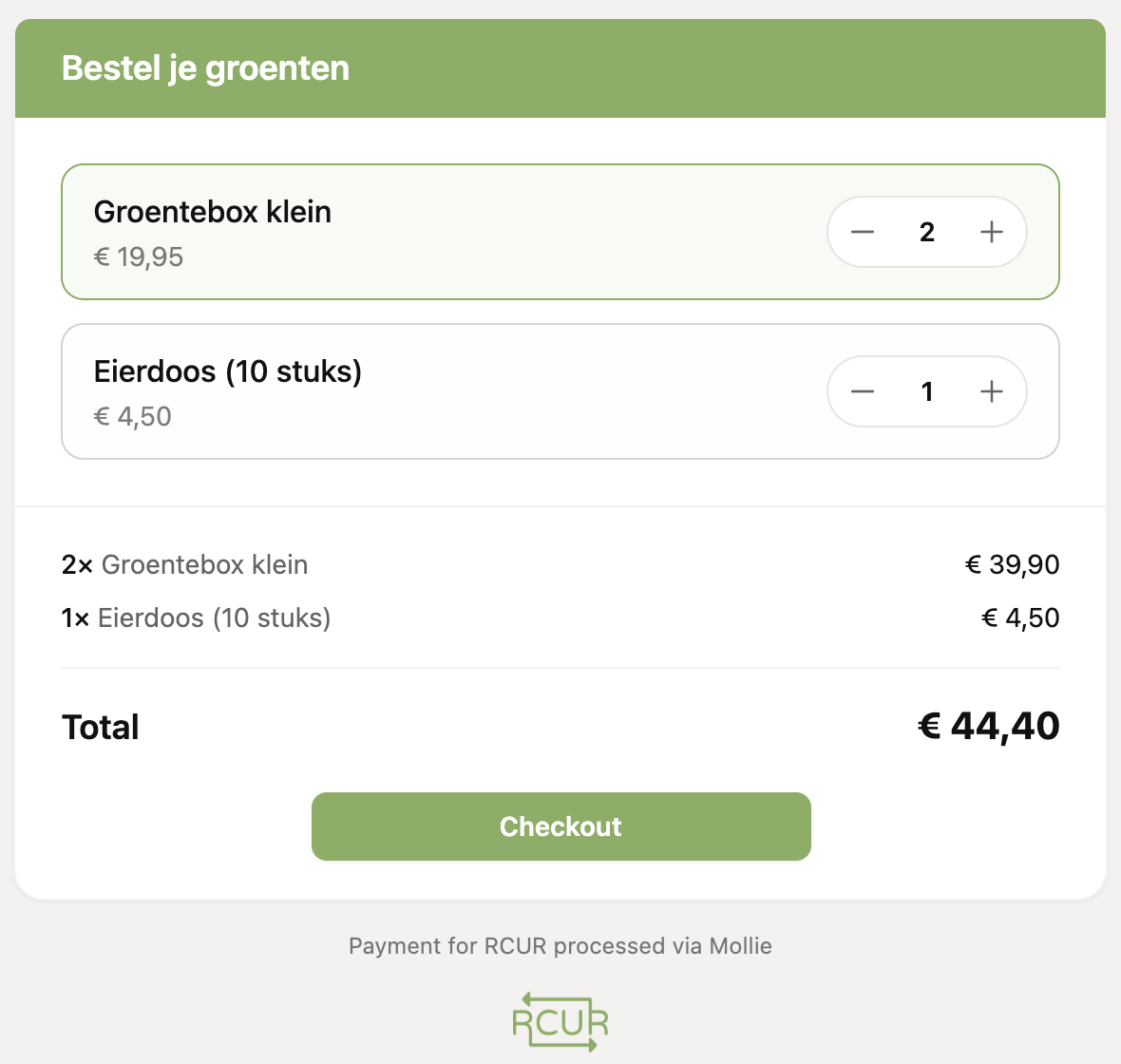
The customer first chooses the products and quantities.
In the next step the customer enters their details, picks a payment method and pays. With shipping rates per country, the right rate appears as soon as the customer chooses the country.