
If you ship to several countries, you may not want to charge the same amount everywhere. With order payment links you can therefore set a different shipping rate per country. Your customer automatically sees the rate for the country they enter.
How it works
Each rate is its own product of the type “Shipping costs”. On that product you pick the countries the rate applies to. A rate without countries is the default rate: it applies to every country that is not listed on another rate.
An example:
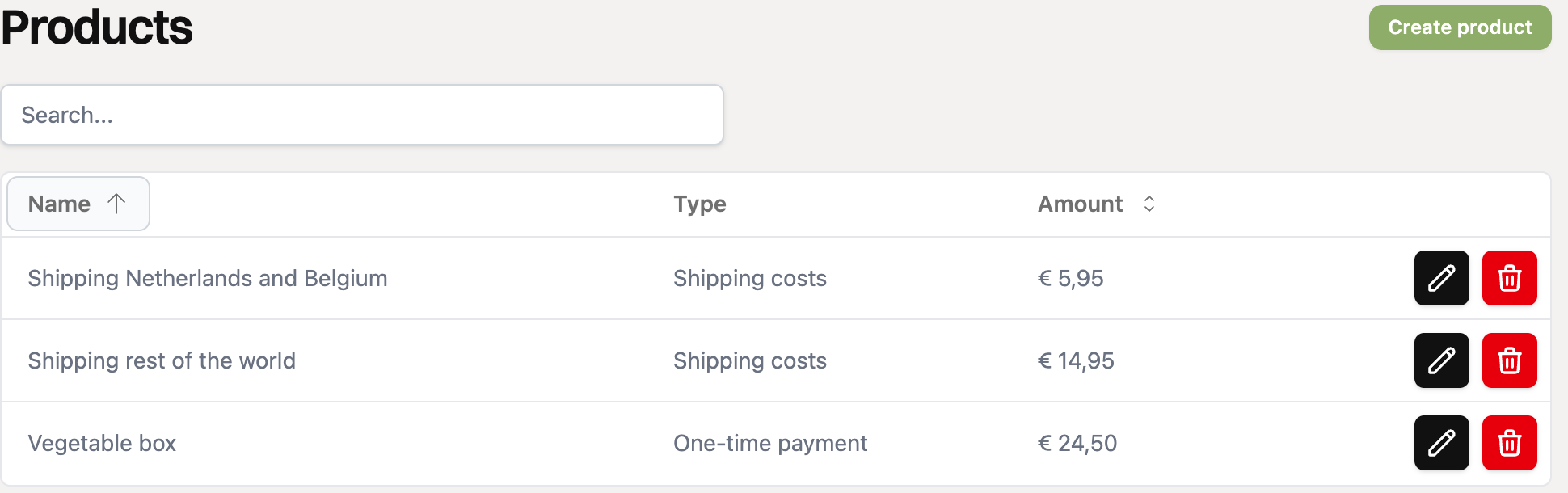
Product | Countries | Amount |
|---|---|---|
Shipping Netherlands and Belgium | Netherlands, Belgium | € 5.95 |
Shipping rest of the world | (empty) | € 14.95 |
A customer from the Netherlands pays € 5.95 here, a customer from Germany € 14.95.
Step 1: create a shipping rate
Go to “Products” in the menu and click “Create product”.
Choose “Shipping costs” as the type. A “Countries” field appears.
Give the rate a name, for example “Shipping Netherlands and Belgium”, and fill in the amount and the VAT percentage.
Under “Countries”, pick all countries this rate applies to. If you leave this field empty, it is the default rate for all other countries.
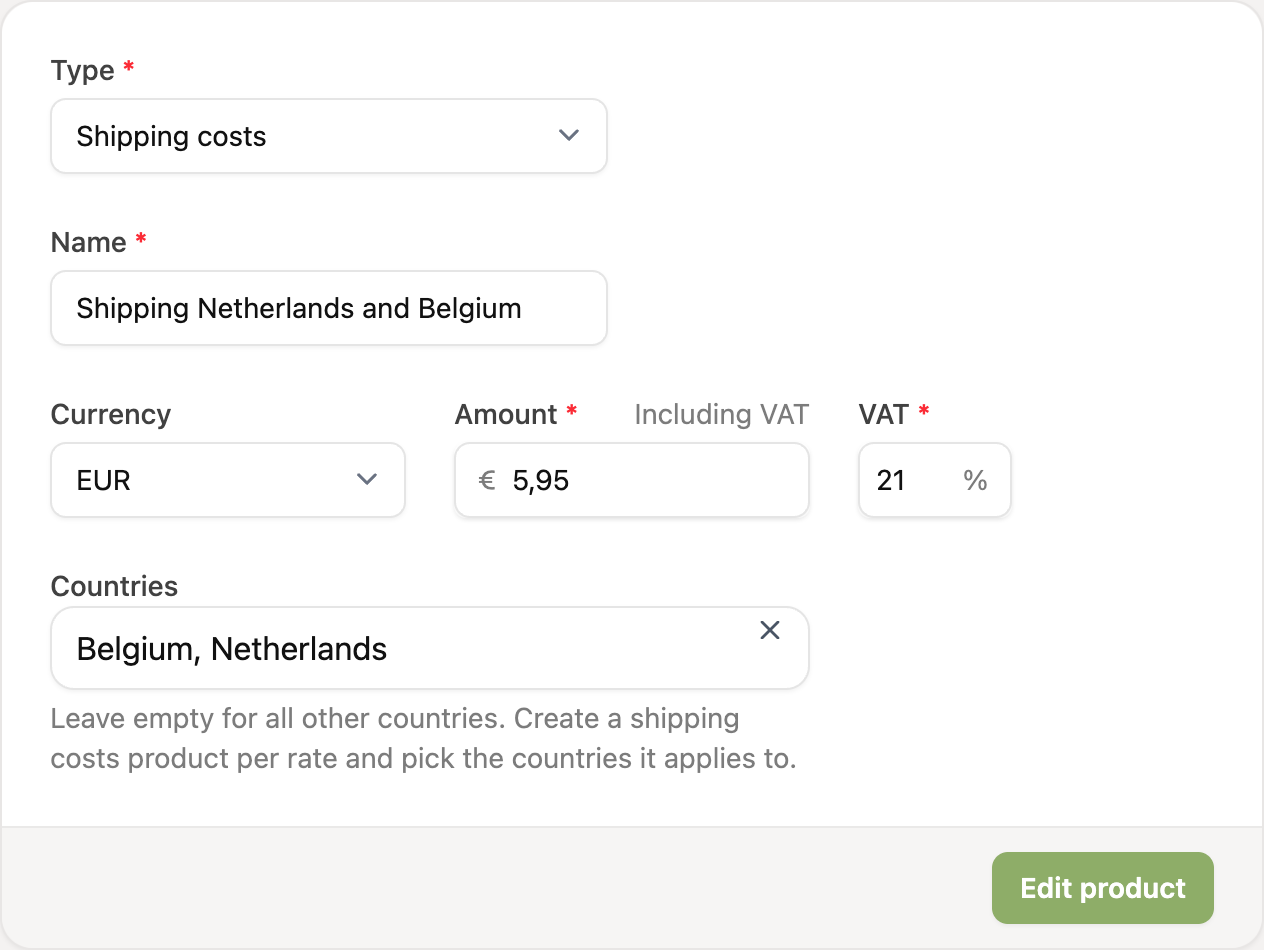
Click “Create product”. Then create the other rates the same way, including the default rate.
Step 2: add the rates to your payment link
Open your order payment link and click “Products”.
Switch on all shipping rates you want to use, next to your regular products.
Save the payment link.
The currency of the rate must match the currency of the payment link. Otherwise you cannot select the product.
What does your customer see?
On the page where the customer picks products, the shipping costs say “Calculated in the next step”. The country is not known yet.
In the next step the customer enters their address. As soon as the country is chosen, the right shipping rate appears and the total updates.
Do you only have rates for certain countries and no default rate? Then a customer from another country sees a message that you do not ship to that country, and cannot check out.
Do you not want to ship to certain countries? Then do not create a default rate, and only list the countries you ship to on a rate.
Recurring orders
For a subscription or other recurring order, RCUR uses the shipping rate for the customer’s country from the first order on every following order.
Discounts and shipping costs
A discount code applies to the products and never to the shipping costs, also when you use rates per country.
Via the API or WooCommerce
In the API you set the countries with the field shipping_countries, a list of country codes such as ["NL", "BE"]. If you import orders from WooCommerce, RCUR takes the shipping amount from the order and uses a rate that fits the country of the order.
Read more about creating products in How do I create a product?.