
Every order has a status. It shows how far the order is and which actions you can take. You see the status on the order page and in the overview under “Orders”.
The statuses
Status | What does it mean? | What can you do? |
|---|---|---|
Waiting for payment | The order has been created, but not paid yet. | “Mark as paid” or “Cancel order”. |
Pending | The payment has started, but is not final yet. | “Mark as paid” or “Cancel order”. |
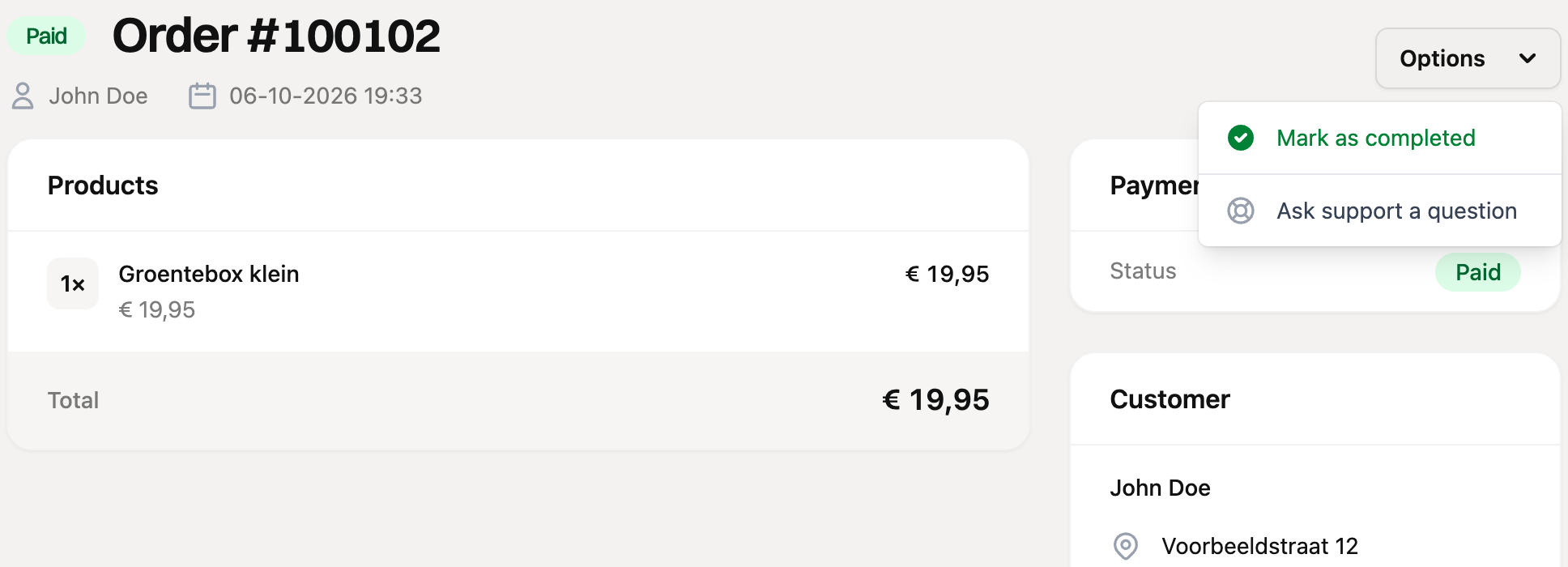
Paid | The order has been paid. | “Mark as completed”. |
Completed | You have finished the order, for example because it was shipped. | No more actions. |
Charged back | The customer reversed the payment at the bank. | No actions in RCUR. |
Cancelled | The order has been cancelled. | No more actions. A running subscription on the order stops too. |
Updating the status
Open the order and click “Options” at the top right. You only see the actions that fit the current status.
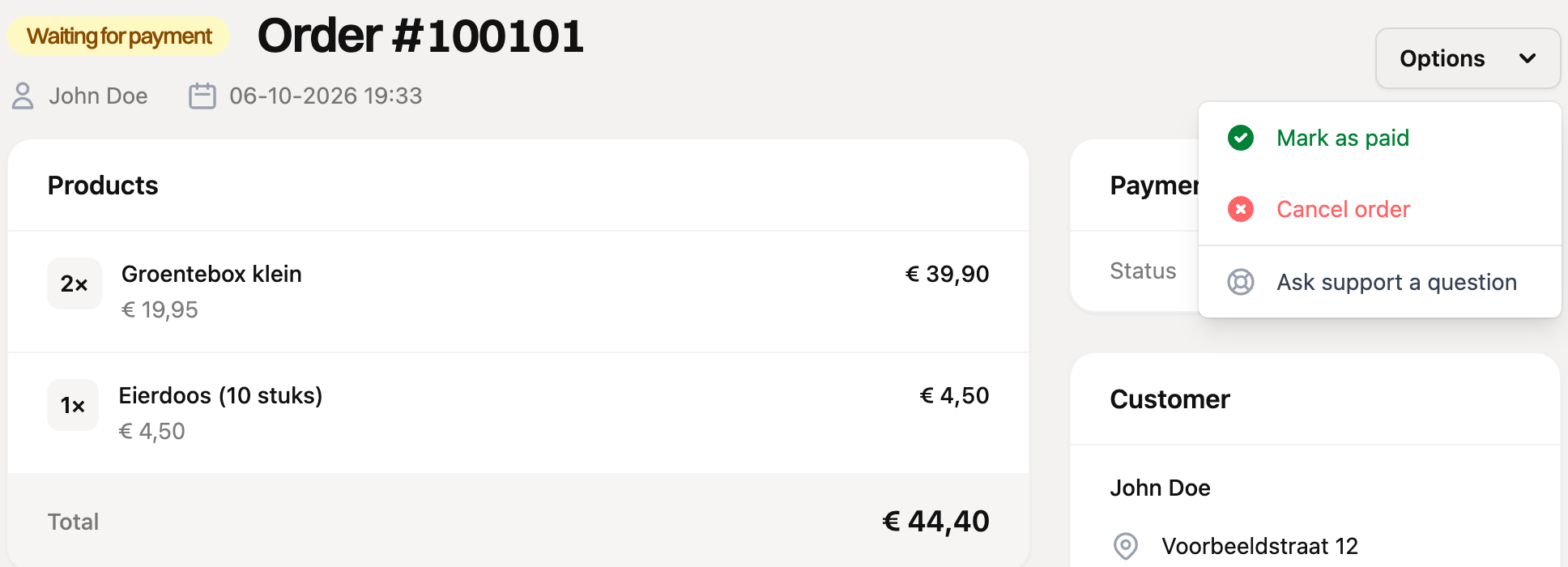
Mark as paid: use this if the customer paid outside RCUR, for example in cash or by bank transfer. If the order contains a subscription, it is activated right away.
Mark as completed: use this once you have handled the order. If the email option is on, the customer receives the “Order shipped” email with the order details.
Cancel order: only possible as long as the order has not been paid.
The overview
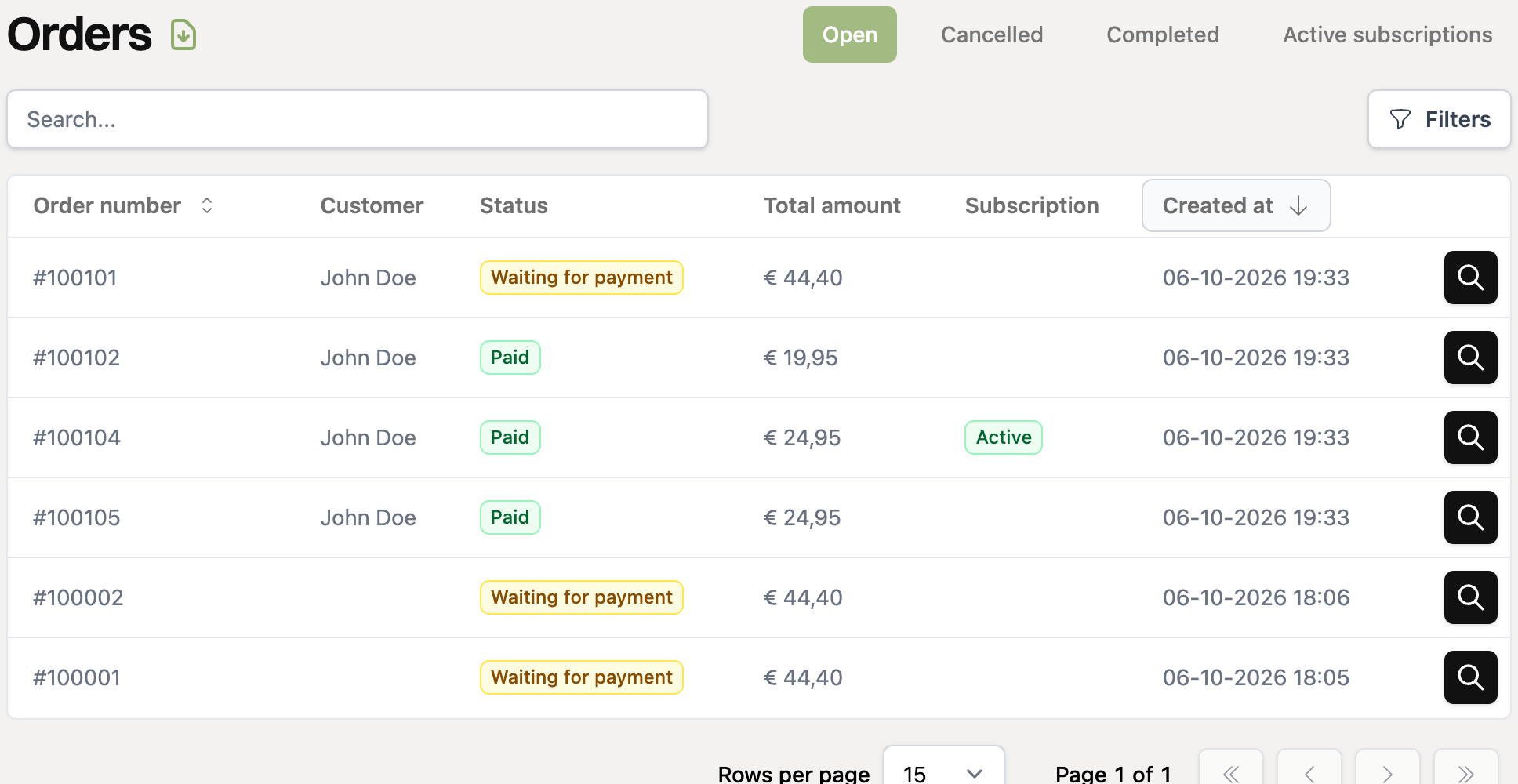
At the top of the overview there are four tabs:
Open: orders that are waiting for payment, pending, paid or charged back. So this is everything that may still need attention.
Cancelled: cancelled orders.
Completed: finished orders.
Active subscriptions: orders with a running subscription. Read How do recurring orders work?.
A payment made through an order payment link automatically sets the order to “Paid”. So you do not have to mark it yourself.