
Do you sell something that keeps coming back, like a weekly vegetable box? Then you use a product of the type “Subscription”. RCUR then creates a new order for you automatically at the right moments.
Recurring orders are processed from the Expert plan.
How does it work?
You create a product of the type “Subscription”, with an interval (for example 1 month). Read How do I create a product?.
A customer orders that product, via an order payment link or because you create an order yourself.
As soon as the first order has been paid, the subscription on the order becomes active. On the order you see the status “Active” and the date of the next order.
On that date RCUR automatically creates a new order, with the customer’s details and the products that are due. RCUR collects the amount via the customer’s mandate and sends the email about the order if that option is on.
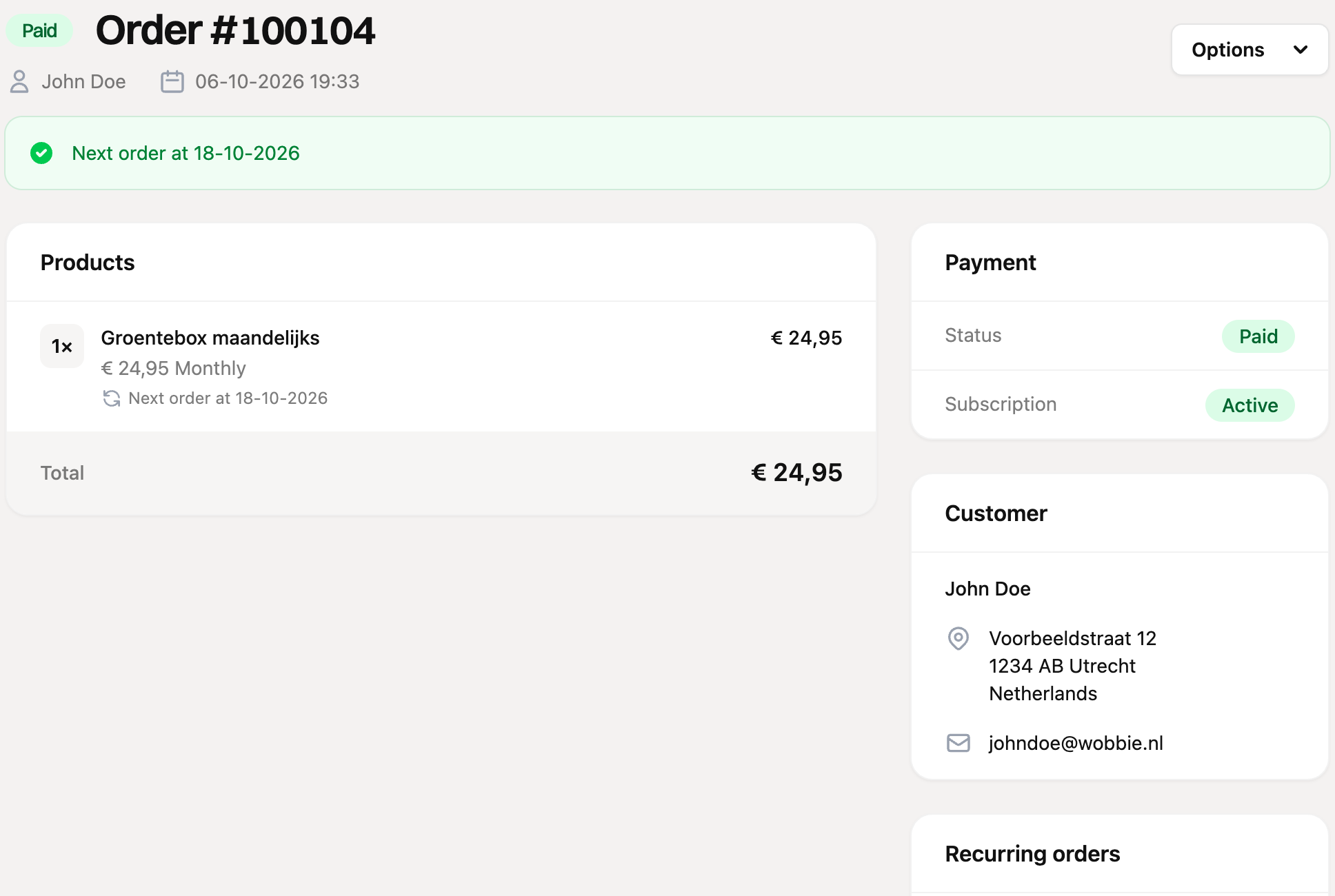
What do you see in RCUR?
Next order at: at the top of the order and at the product you see the date on which the next order is created.
Recurring orders: on the right of the original order you see all orders RCUR created, with order number, amount and status. On such an order you see which order it is a repeat of.
Active subscriptions: under “Orders” you find all running subscriptions on this tab.
How long does it continue?
You decide that on the product. If you leave “Number of times” empty, the subscription continues until you or the customer stops it. If you enter a number, the subscription stops after that number of orders. The status then becomes “Completed”. Does an order have multiple subscription products with a different interval? Then each product gets its own next date.
Stopping or restarting a subscription
Open the order and click “Options” at the top right.
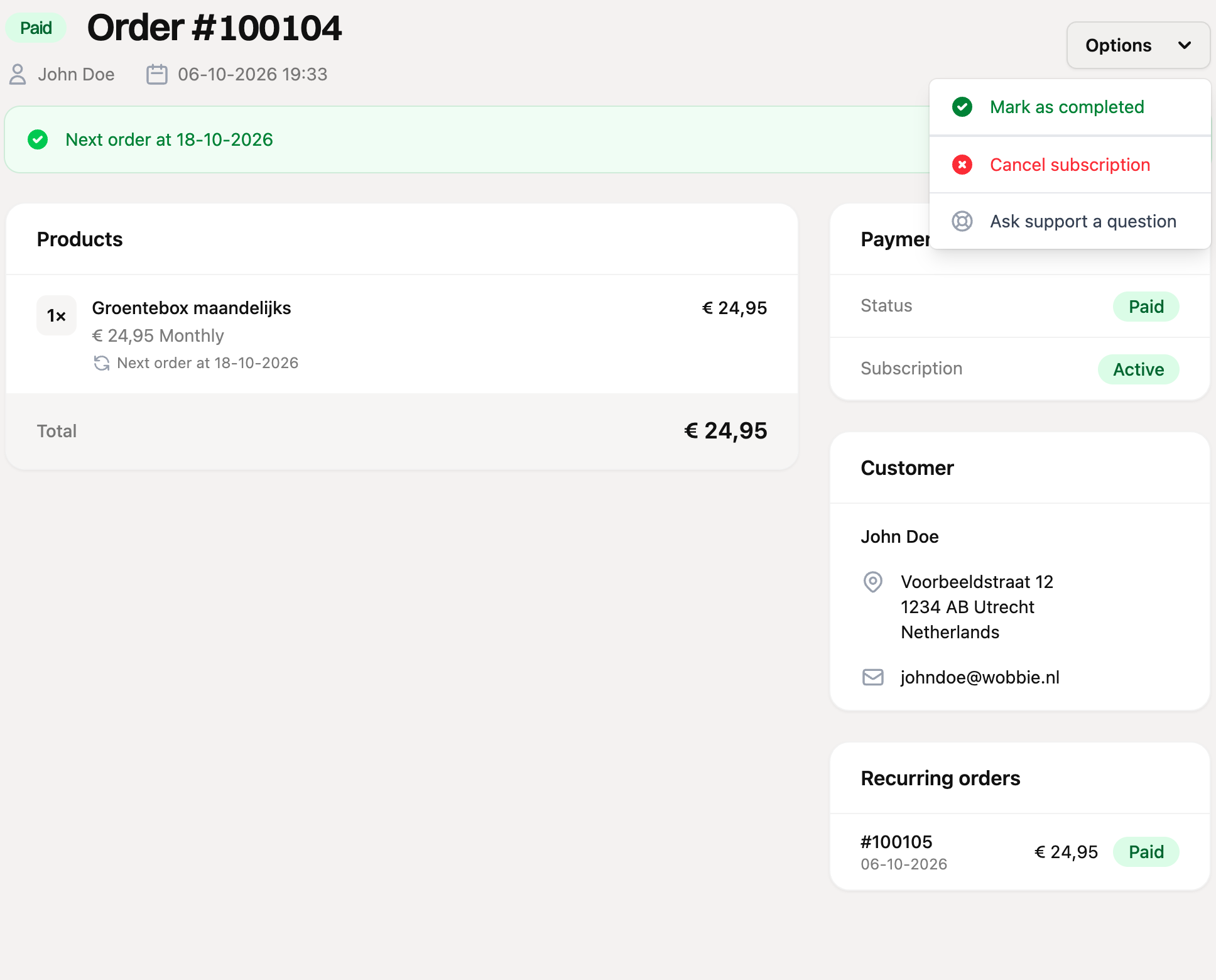
Cancel subscription: choose the date on which the subscription stops and optionally a reason for cancelling. If you choose today, it stops immediately. If you choose a later date, it keeps running until then and you see a notice at the top.
Withdraw cancellation: is a cancellation planned? Then click “Withdraw cancellation” in the notice at the top.
Activate subscription: did you stop a subscription and do you want it to run again? Choose “Activate subscription” and enter the date on which the next order should come.
Cancel order: only possible as long as the order has not been paid, and it stops the subscription too.
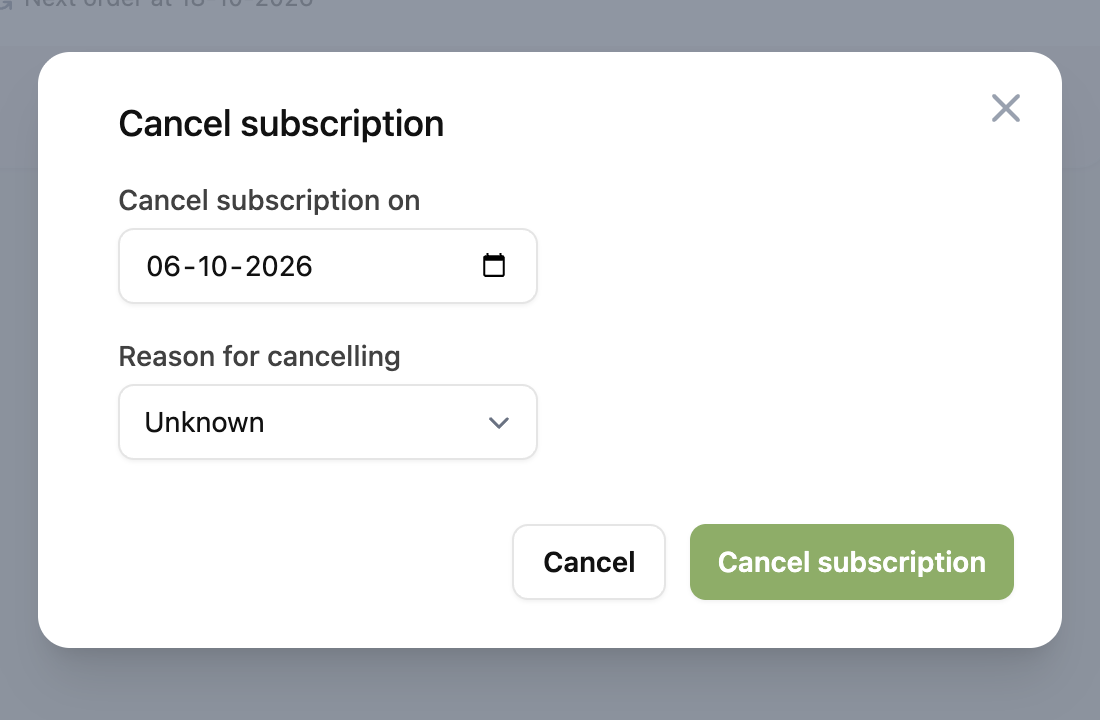
The reason for cancelling shows up in the “Cancellations” report.