
With workflows you let RCUR carry out tasks automatically as soon as something happens, for example when a customer makes a payment or a subscription is cancelled. That way you no longer have to do common manual work yourself.
How does a workflow work?
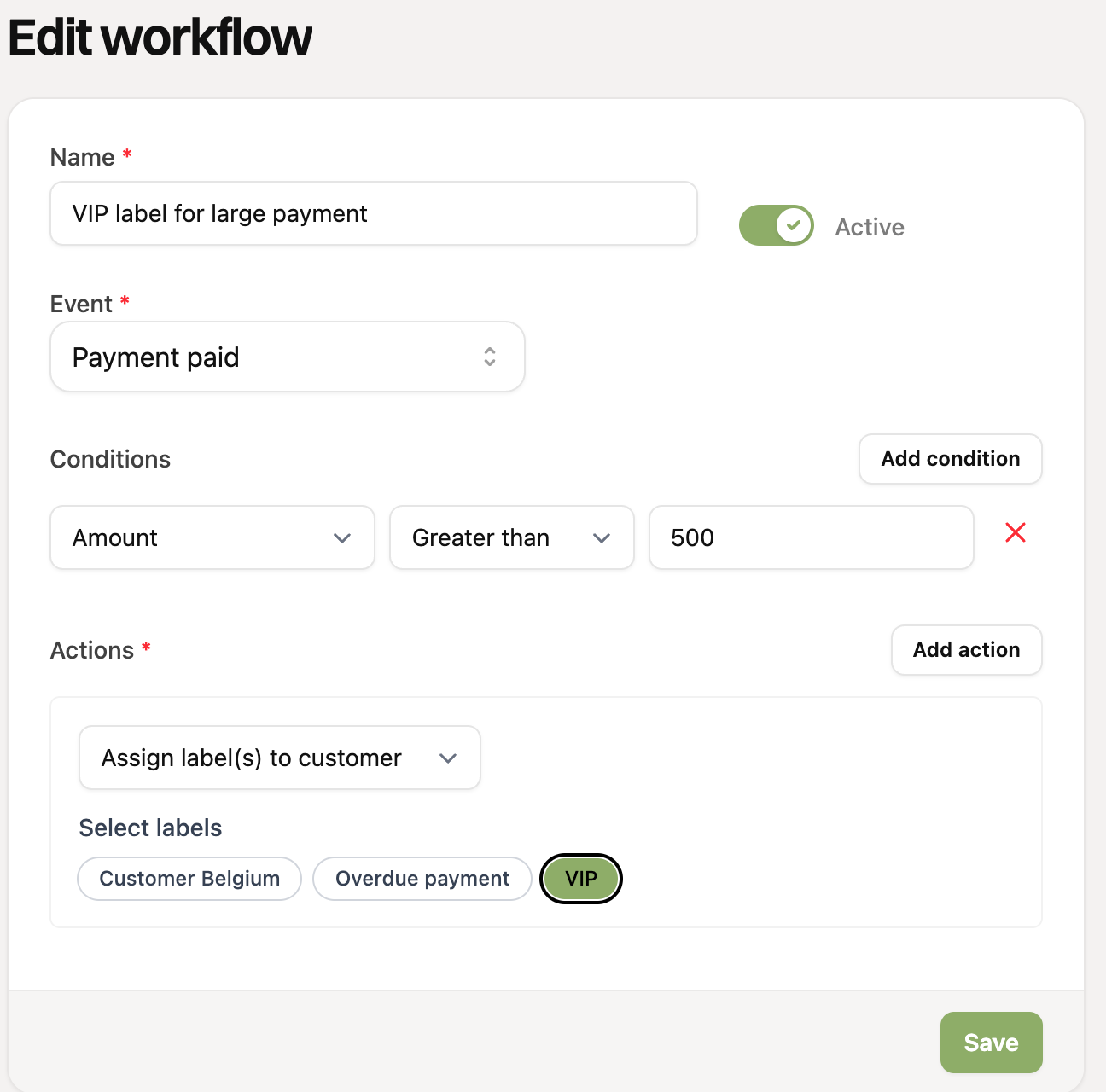
A workflow consists of three parts:
An event: the occurrence that starts the workflow, such as “Payment paid” or “Customer created”.
Conditions (optional): requirements the event has to meet, for example “the amount is greater than 500”. Without conditions the workflow runs for every event.
Actions: what RCUR should do, such as assigning a label to the customer, sending an email or creating a task.
Example: when a payment is paid (event) and the amount is greater than €500 (condition), the customer gets the label “VIP” (action).
What can you do with it?
Automatically label customers, for example based on their payments, subscriptions or country.
Automatically remove labels again, for example as soon as a payment has succeeded after all.
Automatically send a customer an email, for example a welcome email.
Create a task for yourself or a colleague, for example to call a customer after a failed payment.
Also have a look at the workflow examples for inspiration.
Where do I find workflows?
You find them under Settings > Workflows. Workflows are available from the Expert plan.
Further reading
Got suggestions for new actions? Let us know!