
Advanced Subscription
You can easily pause an advanced subscription via our dashboard. Go to the overview of subscriptions and click the subscription you want to pause.
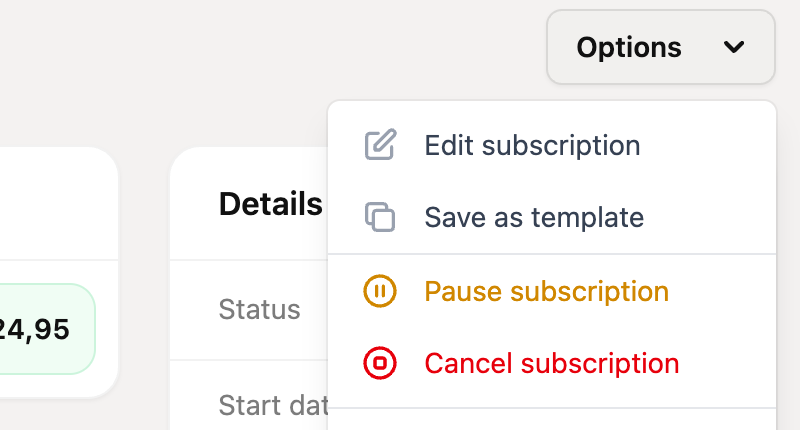
Then, in the “Options” menu at the top right, click “Pause subscription”
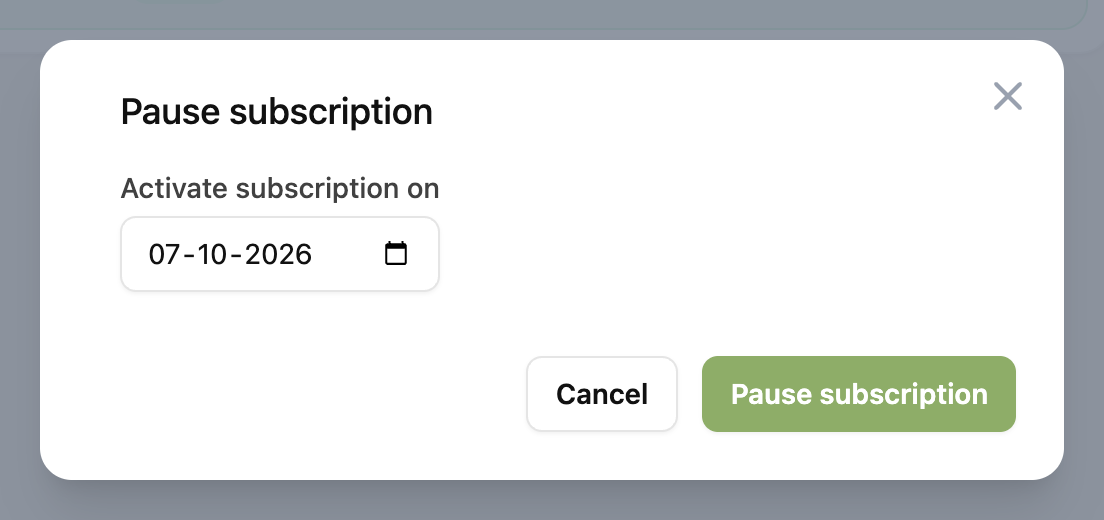
A window opens in which you can enter the date on which the subscription becomes active again. This is also the date of the first payment and is used for the calculation of future payments. Then click “Pause subscription” to confirm.
Order subscription
Currently, we do not support pausing subscriptions via orders.
Basic subscription
It is not possible to pause a Basic subscription, because it is not supported by Mollie. In this case, you should cancel the subscription. You could already create a new Basic subscription with the correct start date when the subscription has to continue.