
Yes you can! You can update the amounts of your Basic and Advanced subscriptions in one go: filter the subscriptions you want to change and enter a new amount or a percentage.
This feature is available from the Expert plan
Advanced Subscriptions
Go to “Subscriptions (Advanced)” and click the lightning bolt icon next to the title, “Bulk update subscriptions”. Then choose the currency of the subscriptions you want to change at the top (your default currency by default). A price change always applies within one currency.

Click on “Add new rule” to define a new filter
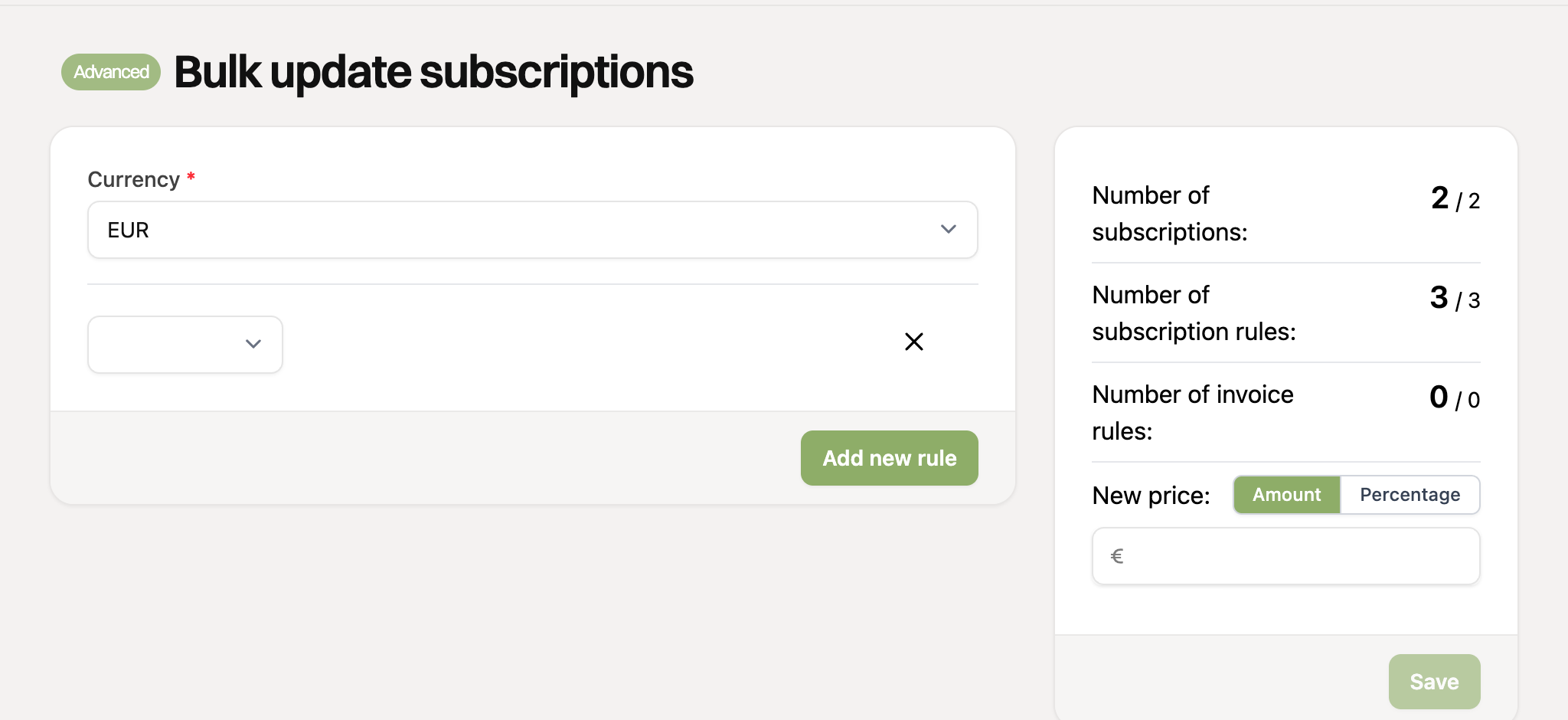
Select a field to filter on: status, amount, or the description of the subscription or of the invoice rule. In this example we filter on the amount of specific subscription rules
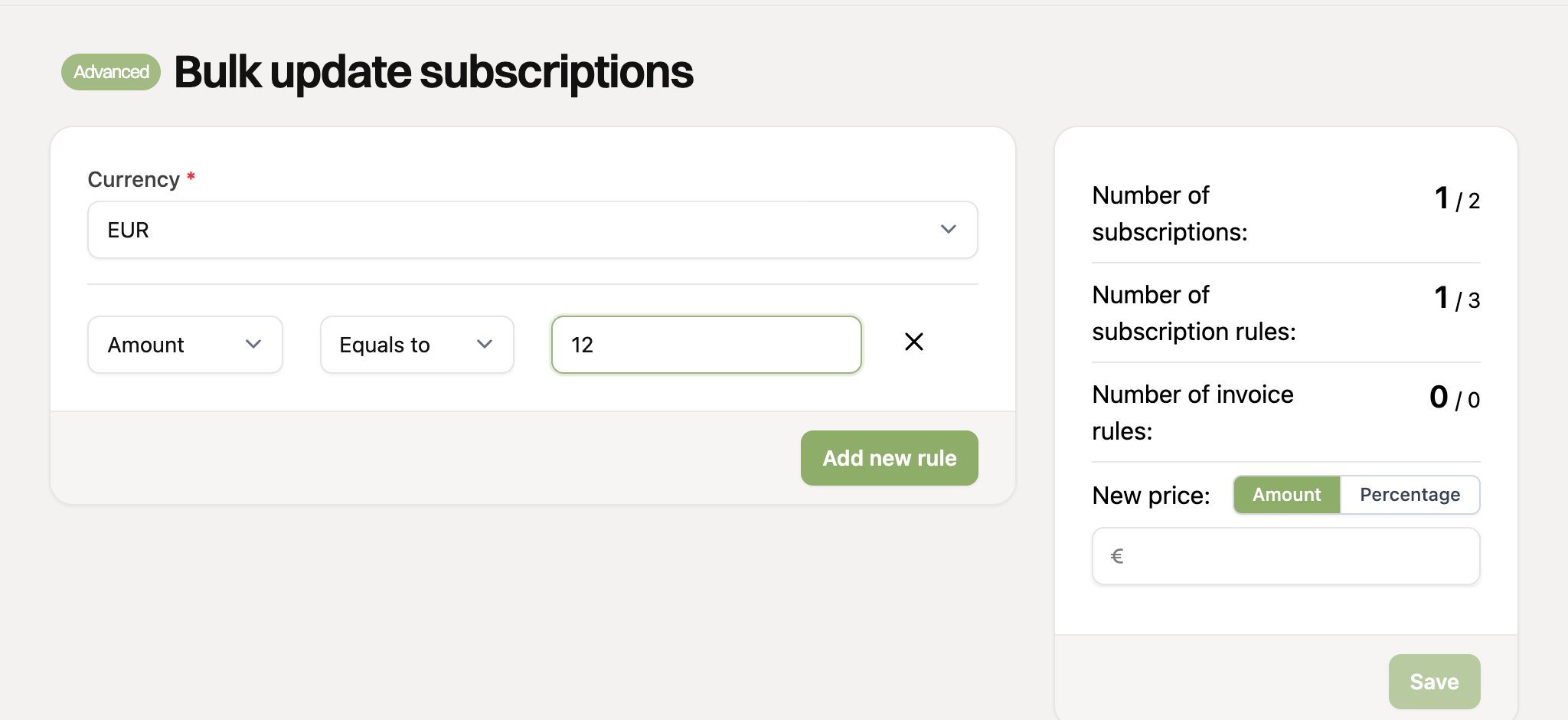
On the right you immediately see how many subscriptions, subscription rules and invoice rules match your filters, for example 1 subscription with 1 rule with the amount of €12,-. Check this before saving.
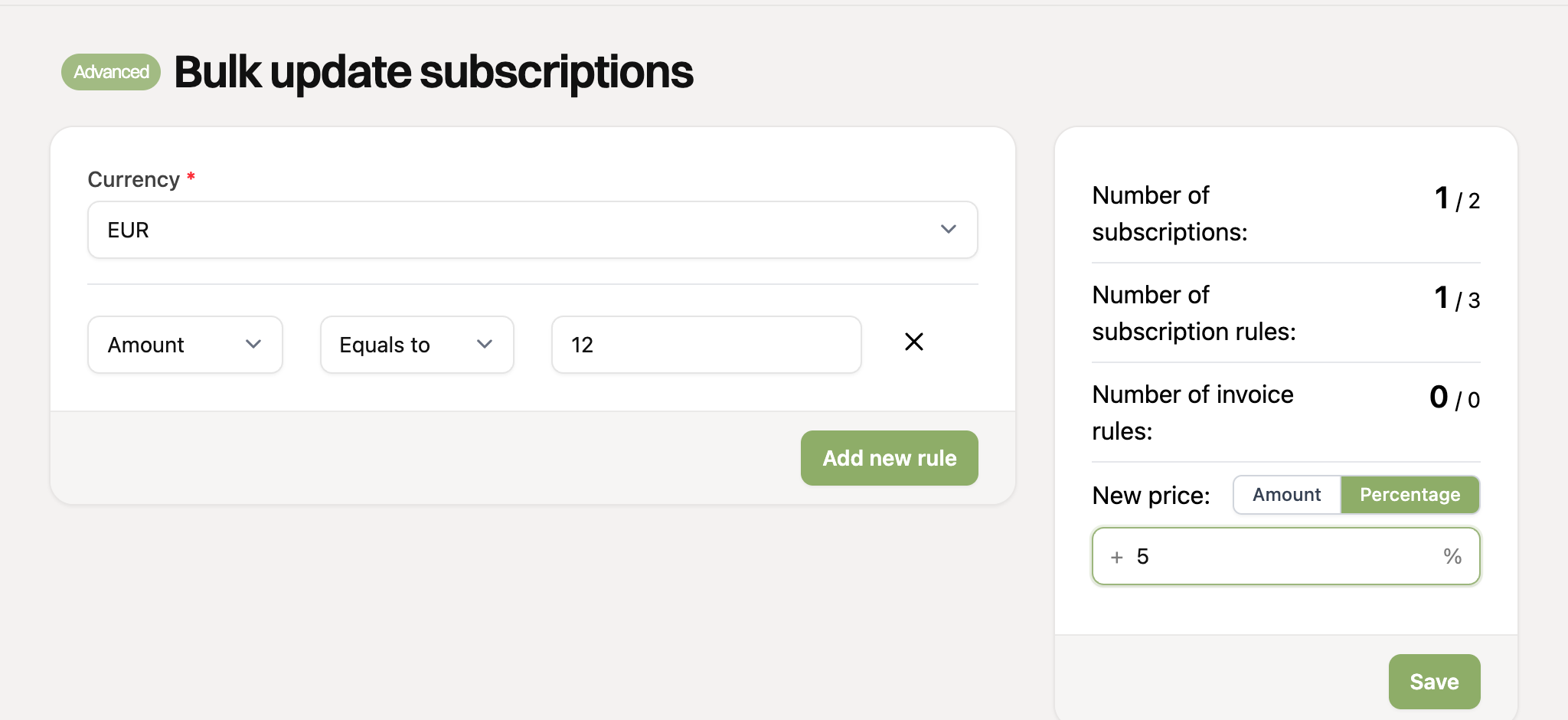
Enter the new amount under “New price” on the right. Use the “Amount” and “Percentage” buttons to choose between a fixed amount (all filtered rules get this amount) and a percentage (all filtered amounts are increased by that percentage, for example 5 for a 5% increase). Click save and confirm.
Basic Subscriptions
Go to “Subscriptions (Basic)” and click the lightning bolt icon “Bulk update subscriptions” next to the title. Then choose the currency at the top (your default currency by default).

Click on “Add new rule” to define a new filter
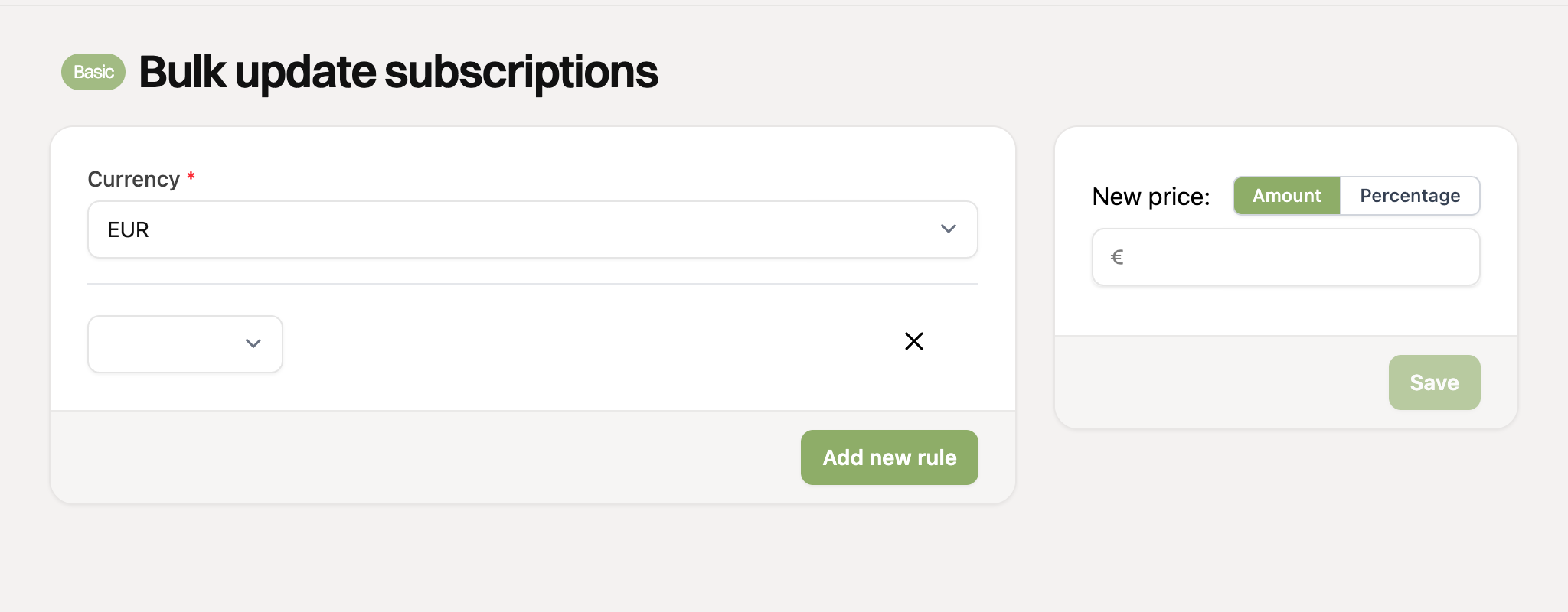
Select a field to filter on: amount or description. In this example we filter on the amount of specific subscriptions
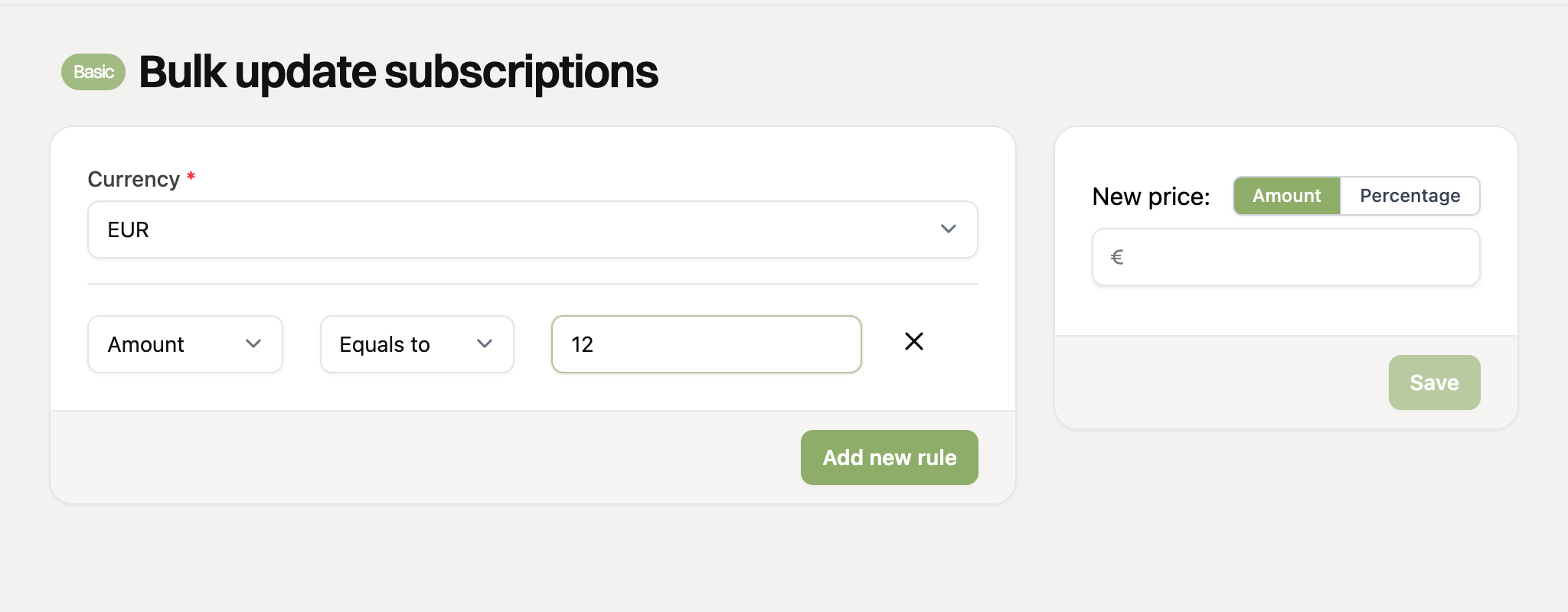
Due to the limitations of the Basic Subscriptions, it is not possible to see the number of filtered subscriptions, so check your filters carefully. At least one filter is required for Basic Subscriptions.
Enter the new amount or percentage under “New price” on the right, click save and confirm. The change is processed in the background, so it may take a moment before all subscriptions are updated.
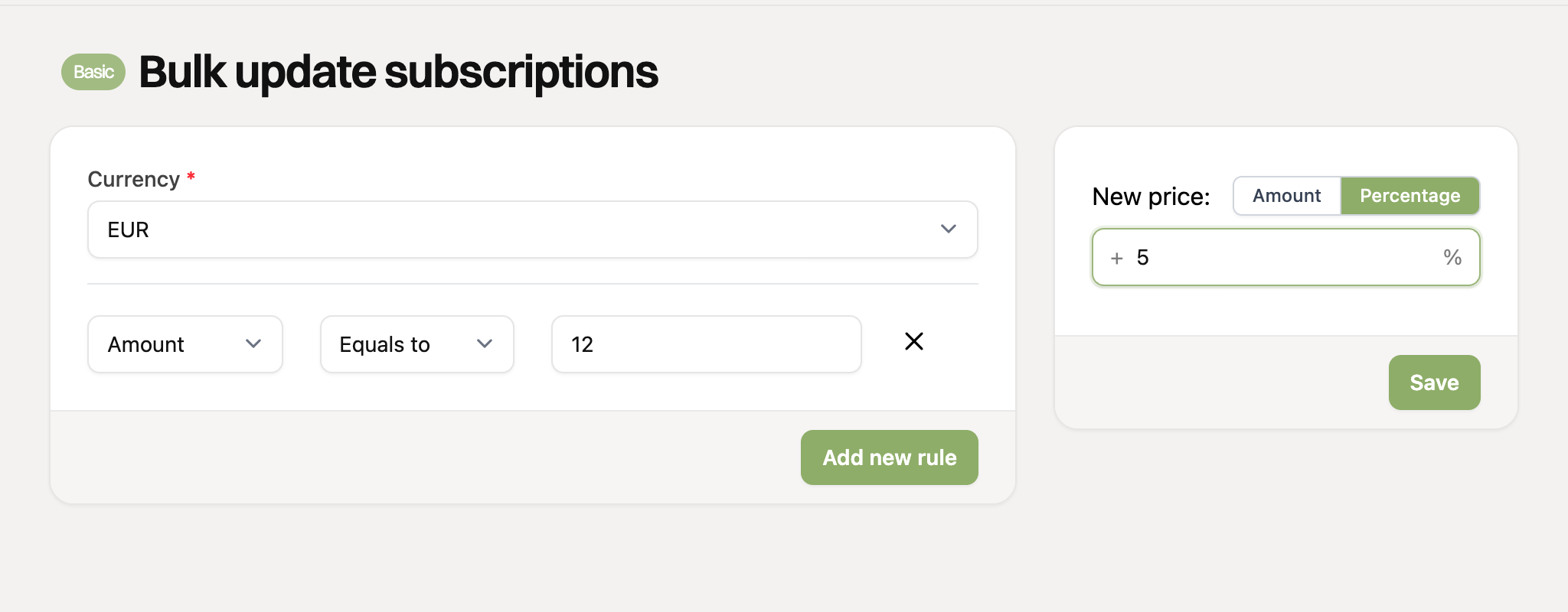
Multiple filter rules work together: subscriptions have to match all filters.
Changing prices for many customers? First try a filter on one specific subscription, or check the number of matching subscriptions carefully before saving.
Only active and paused subscriptions are updated. Subscriptions that have ended, templates and subscriptions created via a payment link are skipped.