
Basic Subscriptions
When you have added a Subscription via the Mollie API or a basic subscription via the RCUR dashboard you can easily cancel the active subscription. To do this, look up the customer in your RCUR dashboard, open the “Subscriptions (Basic)” tab (found under “More”) and cancel the subscription via the actions.
Advanced Subscriptions
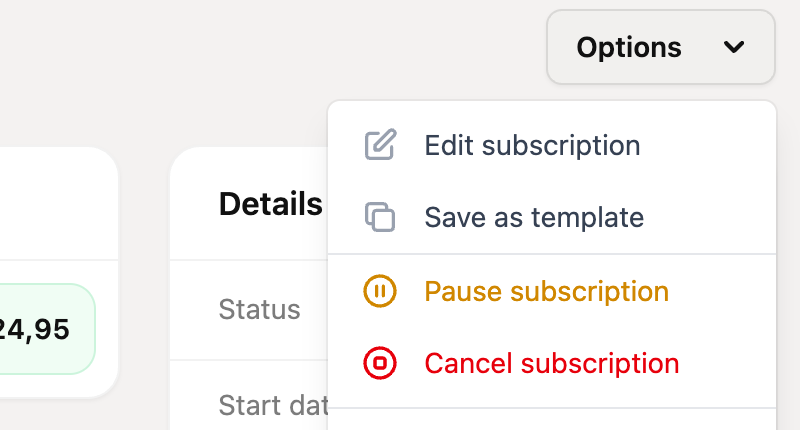
Click on an Advanced subscription to view it, then click in the “Options” menu at the top right on “Cancel subscription”.
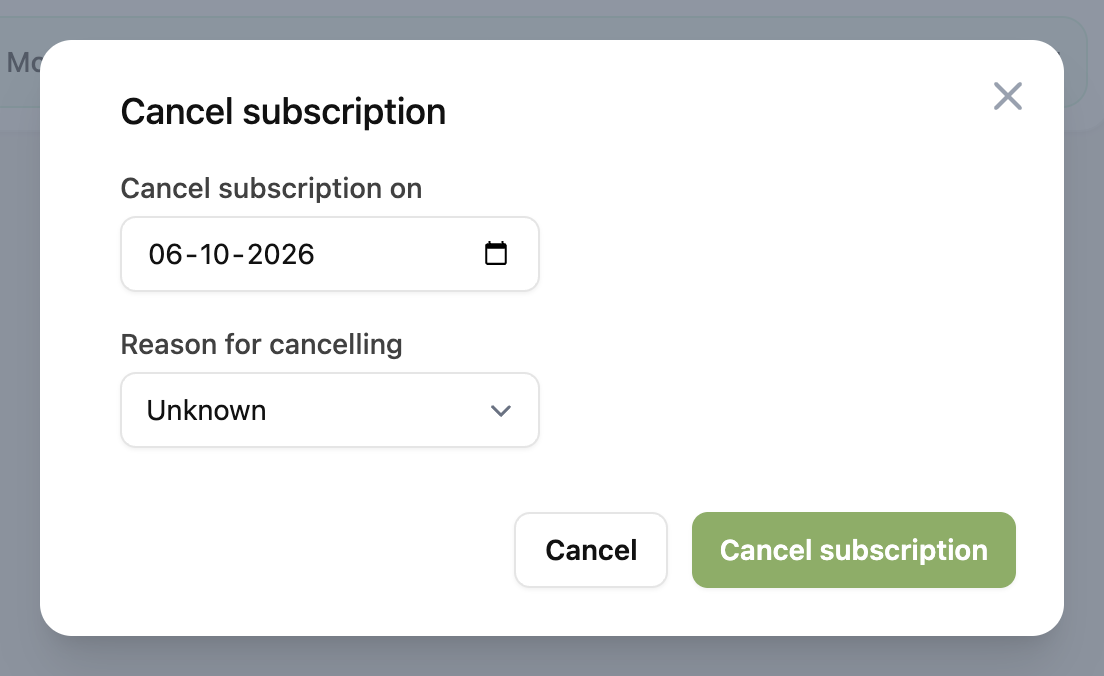
You can now select the date on which the subscription is cancelled. You can also choose a reason for cancelling, which shows up in the “Cancellations” report. Then click “Cancel subscription” to confirm.
Recurring orders
Are you using recurring orders? Then go to your orders overview, choose for “Active subscriptions” and open the one that you want to cancel. Here you can update the subscription status to “Cancelled”.