
You can always change or delete a custom field. The answers customers already gave stay as they were. Below is what happens in each situation.
You change the question or the settings
If you change the question, the explanation, the choices or a setting, it applies from the next time a customer pays. Earlier answers keep the question as the customer saw it. If a question used to be "Name on the card" and is now "Name for the card", old answers still show the old question.
You want to change the field type
That is only possible as long as nobody has filled in the field. After that the type is locked, because an answer belongs to a question of a certain type. You see this from the message at the top and the grey dropdown.
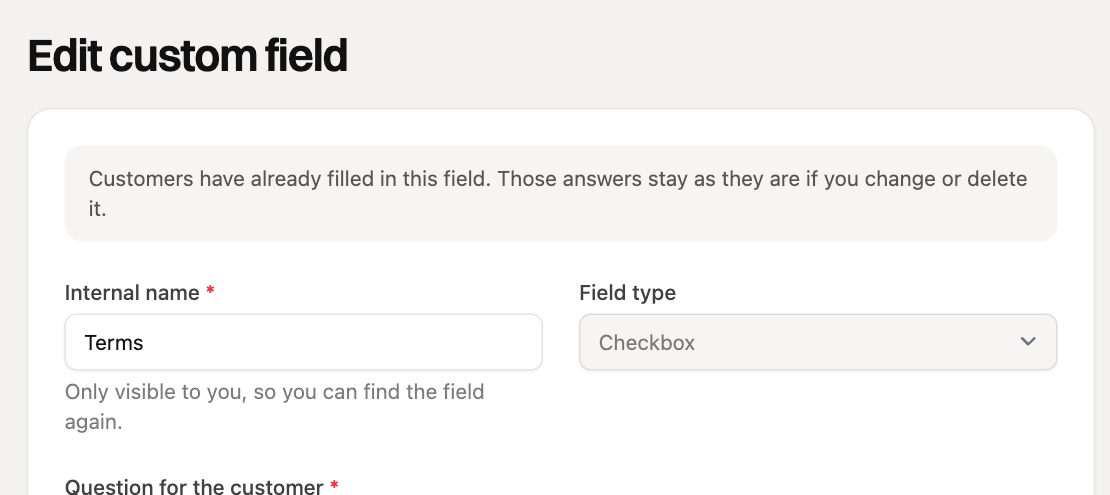
If you do want another type, create a new field, add it to your payment links and remove the old field from those links.
You delete a field
- Never filled in: the field is really deleted.
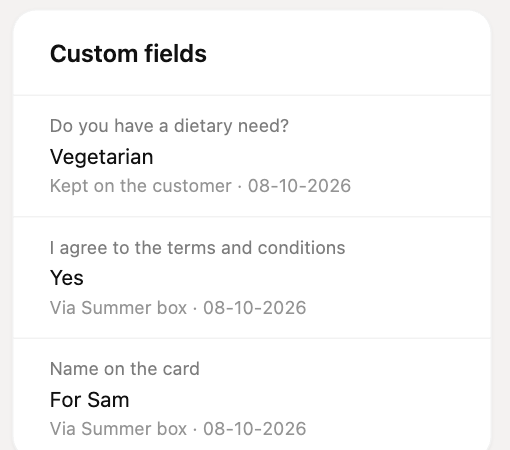
- Already filled in: the field is archived. It disappears from your list of fields and customers no longer see the question, not even on payment links that still had the field. The answers already given stay visible on the customer, order and subscription.
You remove a field from a payment link
Open the payment link, click Custom fields and click the cross behind the field. The field itself and the answers remain, new customers just no longer get asked on that link.
You lose the Professional plan
Your payment links then no longer ask the fields, and you cannot create new ones. Answers you already have stay visible. If you choose Professional again later, your fields are still there.
You delete a customer
If you delete a customer, you can no longer see that customer's answers on the customer page, because it no longer exists. Answers on orders stay on the order as long as it exists.
Not sure whether you want to lose a field? Remove it from your payment links instead of deleting it. Then you can add it again later.