
With a required checkbox in the checkout you have customers agree to your terms and conditions before they pay. The text is clickable, so the customer can read your terms. You do this with a custom field.
Custom fields are available in the Professional plan.
Creating the checkbox
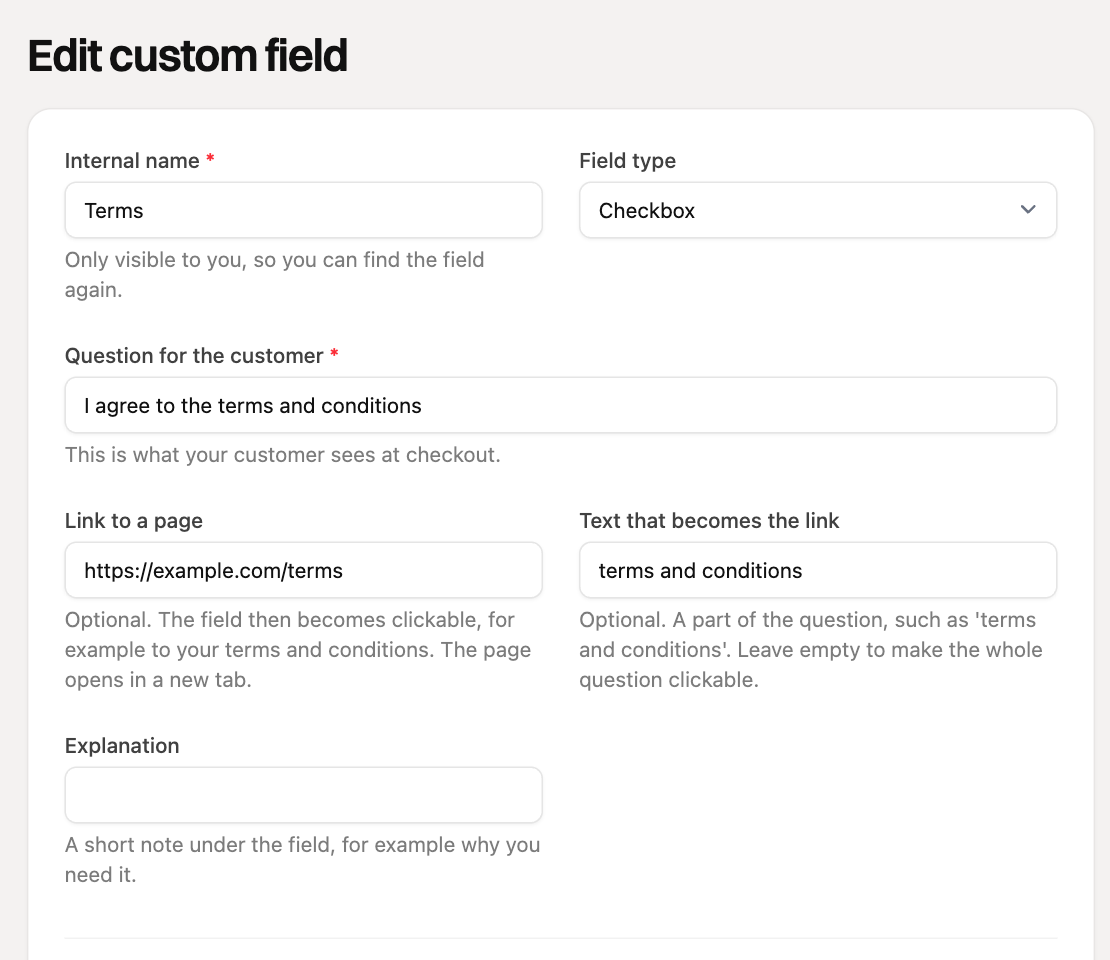
- Go to Custom fields in the menu and click Add custom field.
- Enter an Internal name, for example "Terms". Only you see this.
- Choose Checkbox as the Field type.
- Under Question for the customer, enter the text the customer sees, for example "I agree to the terms and conditions".
- Under Link to a page, enter the web address of your terms, starting with https://.
- Under Text that becomes the link, enter only the part that should be clickable, for example "terms and conditions". Leave it empty and the whole sentence is the link.
- Switch on Required. The customer can then only pay if the checkbox is on.
- Leave On the payment, order or subscription switched on and click Save.
Adding the checkbox to your payment link
- Open the payment link to edit it, or create a new one.
- Click the Custom fields button at the bottom.
- Find the "Terms" field and click it to add it.
- Click Done and save the payment link.
You can use the field on all your payment links, including subscriptions and orders. So you only create it once.
What does your customer see?
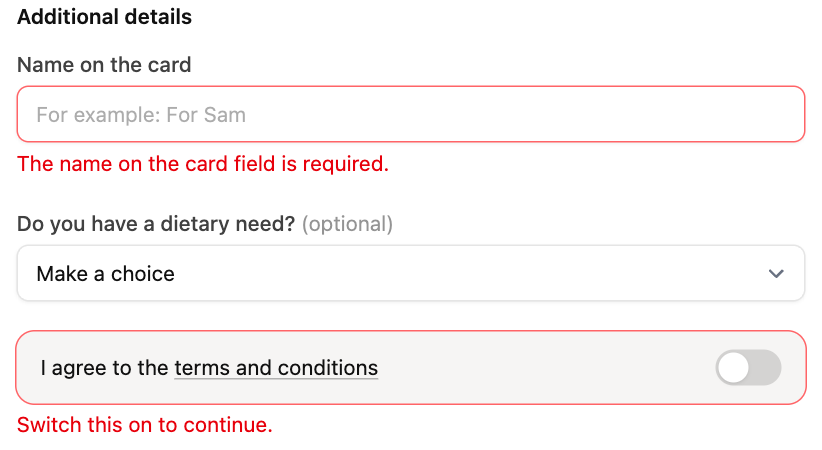
Under Additional details is the sentence with the switch. The words you chose as link text are underlined. Clicking them opens your terms in a new tab, so the customer does not lose their details. If the customer does not turn the switch on, the message "Switch this on to continue" appears and they cannot pay.
Seeing who agreed
The answer ("Yes") is kept on the payment, order or subscription. You see it on the customer's Custom fields card, with the name of the payment link and the date. More about where to find answers is in the article What are custom fields and how do I use them?
If you change your terms or the web address later, edit the field. The new address applies immediately to all payment links that have the field.