
A direct debit can fail, for example because of insufficient funds. With automatic follow-ups, RCUR automatically tries to collect the amount again and/or sends the customer a payment link. This function is available from the Expert plan.
Activating follow-ups
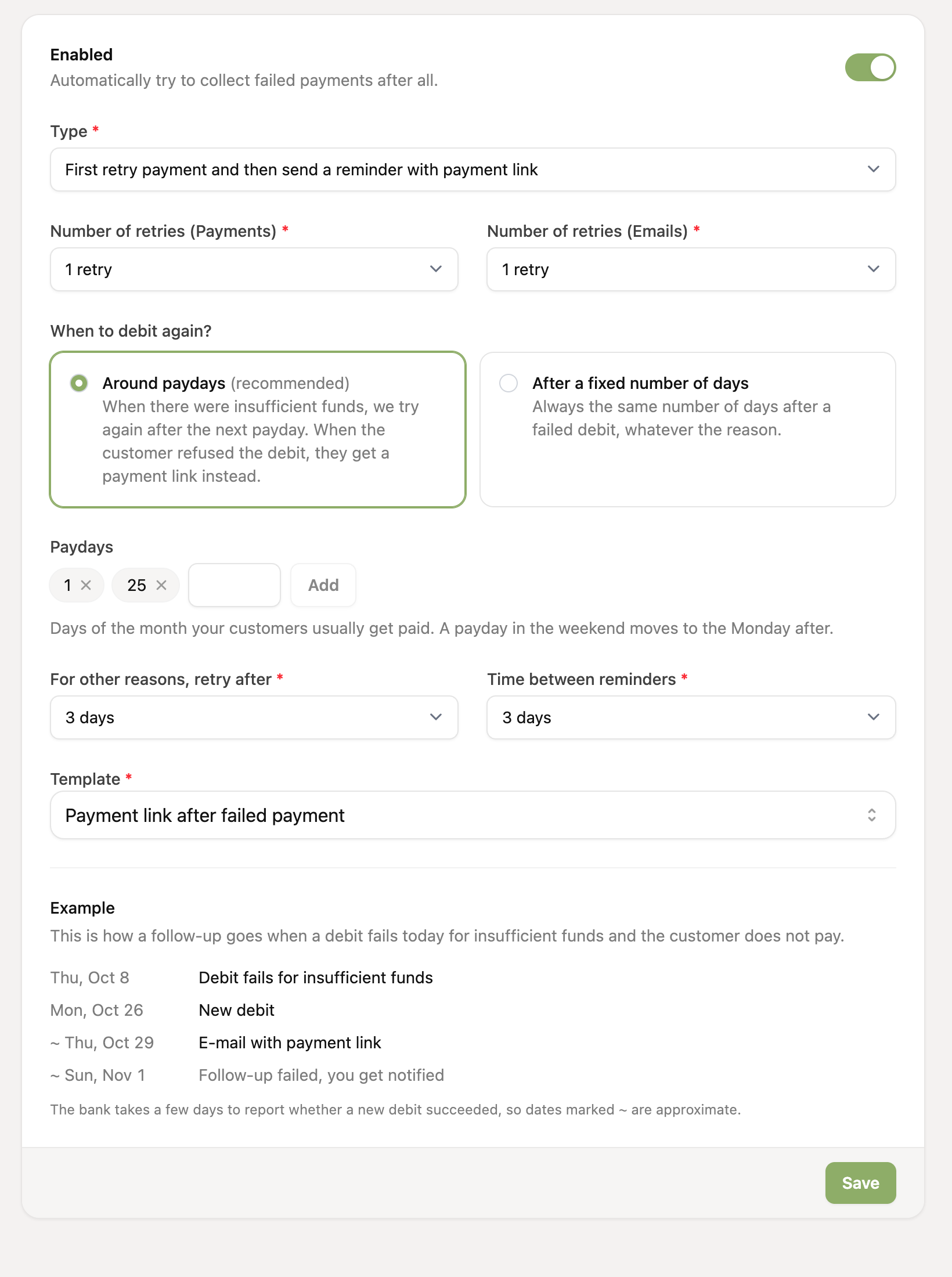
Go to Settings and open Follow-ups.
Turn follow-ups on.
Choose what should happen when a collection fails (see below).
Choose the email template for the payment link. You can edit the text via the templates.
Check the Example at the bottom: it shows the dates on which we will collect again or send an email with your settings.
Click Save.
Every failed collection then gets a follow-up. You can find them on the Follow-ups page.
What should happen when a collection fails?
First try a payment, then send a payment link
We first try to collect again, as many times as you have set (1 to 3 times). If that still fails, we send the customer an email with a payment link. You can also set how many reminders we send (1 to 3).
Only retry the payment
We try to collect again, up to 3 times. If it still fails after the last attempt, the follow-up is marked as failed and you receive a notification.
Only send a payment link
We send the customer an email with a payment link. If the customer pays via the link, the follow-up is automatically marked as solved. If not, we send a reminder, up to the number you set.
For some failed payments, collecting again is pointless, for example with a credit card payment or when the account number is no longer valid or has been closed. The customer then gets a payment link right away.
When do we try again?
You choose how the timing works:
Around paydays (recommended): with insufficient funds, we try again right after the next payday, when salaries and benefits have usually arrived. By default these are the 1st and the 25th of the month, and you can set up to 4 paydays. A payday in the weekend moves to the Monday after. If the customer refuses the collection, they get a payment link right away.
After a fixed number of days: we always try again a fixed number of days (1 to 14, default 3) after the failed collection, whatever the reason.
Around paydays only applies to the first retry after insufficient funds. If that one fails too, we use the fixed number of days. You also set the time between payment link reminders (1 to 14 days) yourself.
Solving a follow-up manually
Did the customer sort it out in another way? Then you can close a follow-up yourself on the Follow-ups page with Mark as solved. You then indicate whether the outstanding amount was eventually paid:
Yes, paid: the customer paid outside RCUR, for example by bank transfer. This counts as recovered in the reports.
No, not paid: you stop following up without payment. This counts as lost in the reports.
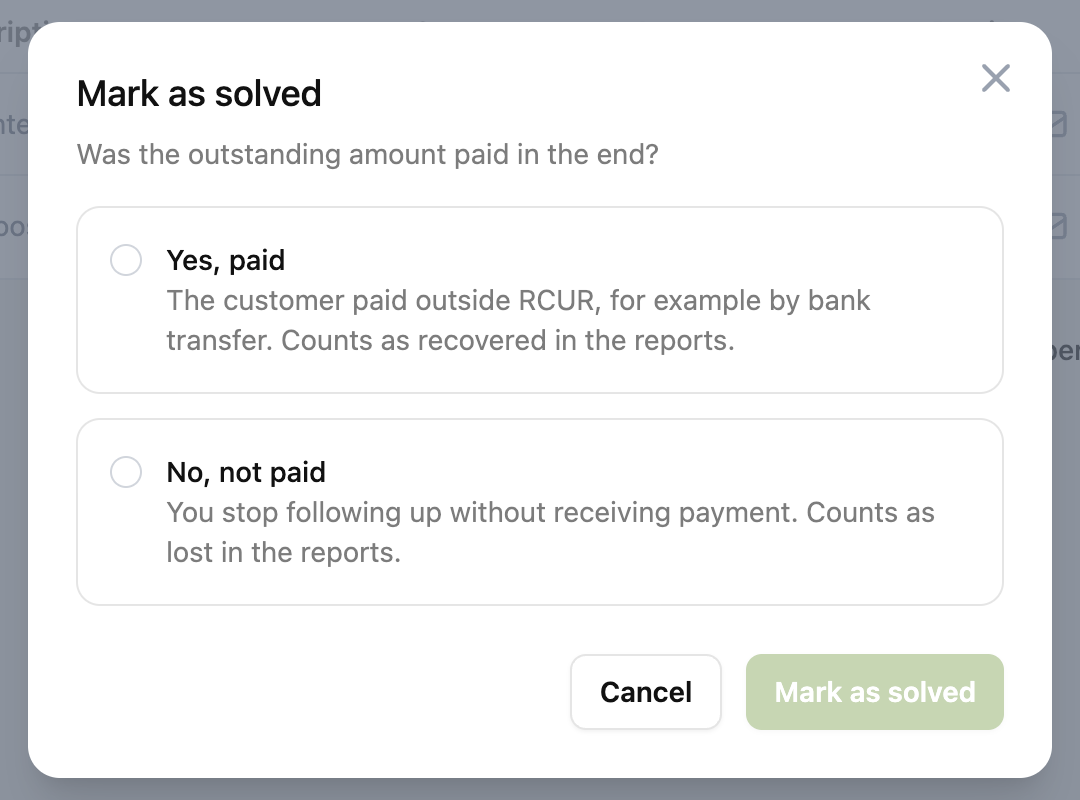
You can still change this outcome afterwards with Change outcome, unless RCUR saw the payment come in itself.
Follow-ups are linked to orders and invoicing integrations. As soon as a follow-up is solved, orders and/or invoices are automatically marked as paid.
If you solve a follow-up manually, there is no automatic link with orders and invoices.
Checking whether it works
In the Failed payment recovery report you can see which part of the completed follow-ups was recovered.