
A customer's bank account number is stored in a mandate (authorization). Do you want to change the IBAN of a customer with an active subscription? Then add a new mandate and delete the old one afterwards. There are two ways to add a mandate.
Option 1: via a payment link
Here the customer gives the authorization themselves.
Create a payment link for the customer and choose Mandate as the type.
Enter for example €0.01 as the amount. The minimum is €0.01.
Send the payment link to the customer.
As soon as the customer has paid the payment link, a new mandate is created. From that moment the new IBAN is used for all subscriptions for which no specific mandate was chosen, also for subscriptions via orders.
Option 2: add a mandate yourself
With the Advanced plan (or higher) you can add a mandate yourself, without the customer having to do anything. Make sure you have the customer's permission.
Open the customer in your RCUR dashboard and go to the Payment methods tab.
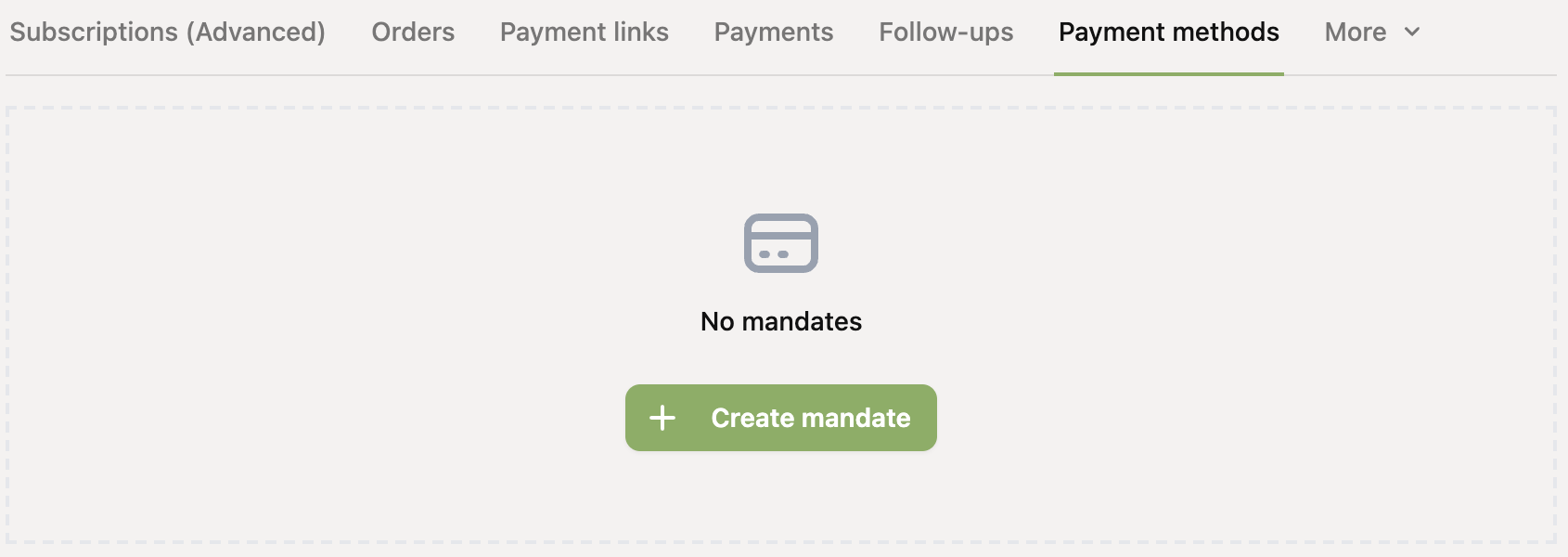
Click Create mandate.
Enter the name of the account holder and the IBAN. The custom mandate reference is optional: if you leave it empty, Mollie creates a unique reference.
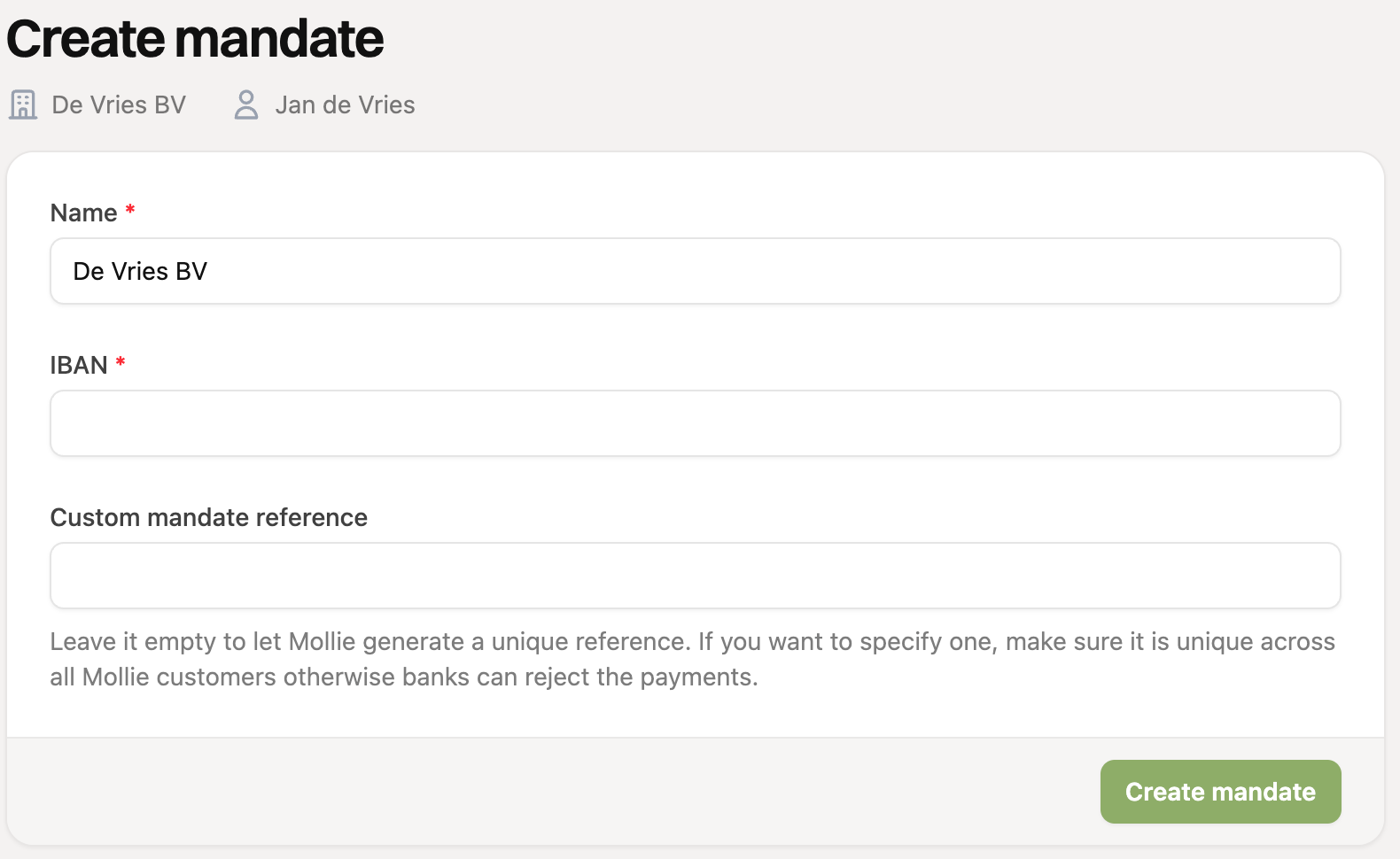
Click Create mandate.
You can only add a mandate if SEPA direct debit is enabled in your Mollie website profile.
Deleting the old IBAN
To prevent confusion, you can delete the old mandate afterwards. On the customer page, go to the Payment methods tab and click the trash can icon next to the old mandate.
Did you deliberately choose a specific mandate for a subscription? Then that subscription keeps using that mandate. In that case, edit the subscription before you delete the old mandate, so it uses the new mandate.