
No, you cannot add a credit card number as a mandate yourself, not even via Mollie. A customer has to enter their card themselves and approve it. This can be done with a payment link of the type Mandate, which you send to the customer.
Creating a mandate payment link
Go to Payment links and click “Create payment link”. Do you want the mandate to end up with an existing customer? Then create the payment link from the customer page, via the New button.
Select Mandate in the Type field.

Enter a description. It is also visible to the customer.
Enter an amount of at least €0.01.
Select the desired templates for the email and the payment screen (for a successful and a failed payment).
Optional: disable the payment methods you do not want to use. Click Payment methods, toggle off the unwanted methods and click Done.
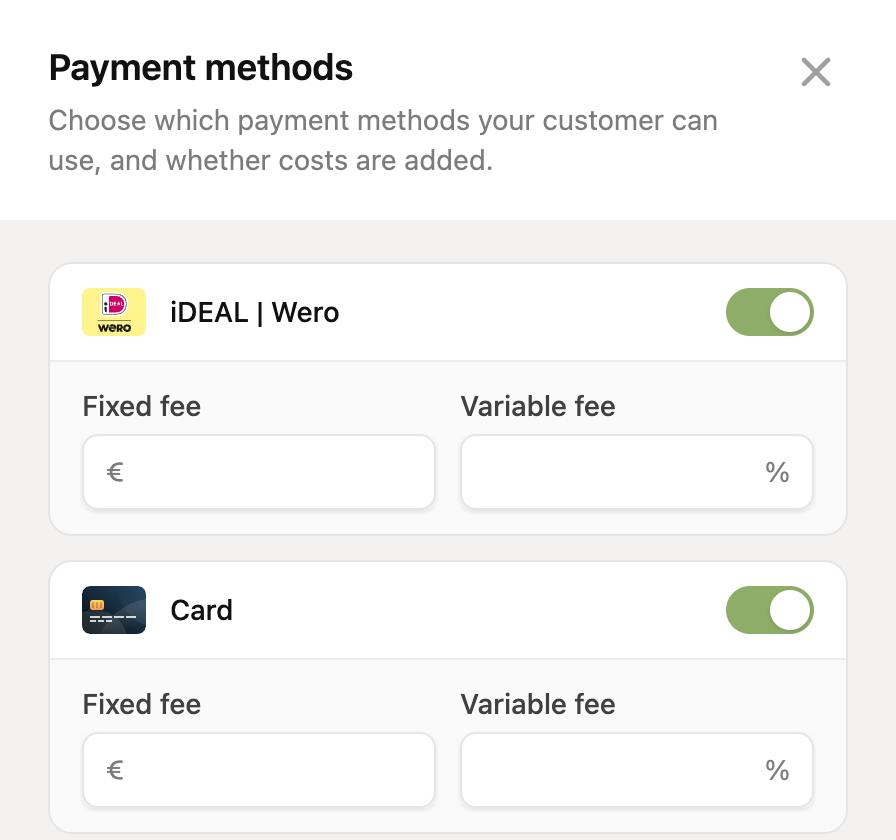
Click Create payment link and copy the link in the green success message. Or click the newly created link on the payment links page to open it in your browser. Then send the payment link to your customer.
After a successful payment, the credit card number is stored as a mandate (if the customer pays with the “Card” payment method).
Want only a credit card as a mandate?
In the payment methods step, leave only Card enabled. The customer then cannot choose for example iDEAL, so you are sure to get a credit card as a mandate.
Where do I find the mandate?
After the payment, the mandate is on the customer page, under the Payment methods tab. If the payment link is not linked to an existing customer, we look up the customer by the email address that was entered, or create a new customer.