Does a customer want to go from a small to a large subscription, or from monthly to yearly? Then you switch the subscription to another plan in the same subscription group. You choose whether that happens right away, settling what the customer already paid, or only at the next payment.
You can switch Advanced subscriptions that are linked to a plan in a subscription group. If you do not have a group yet, read How do I create a subscription group? first.
Switching a subscription
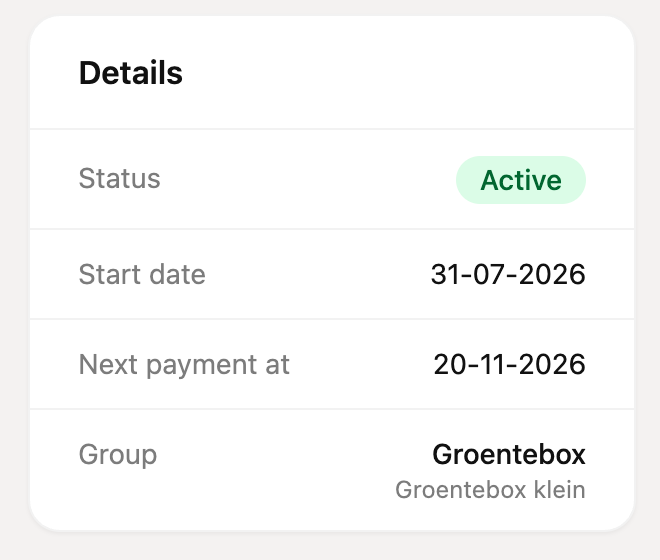
Open the subscription. Under Details you see the group and the current plan next to Group.
Click Options and choose Switch subscription.
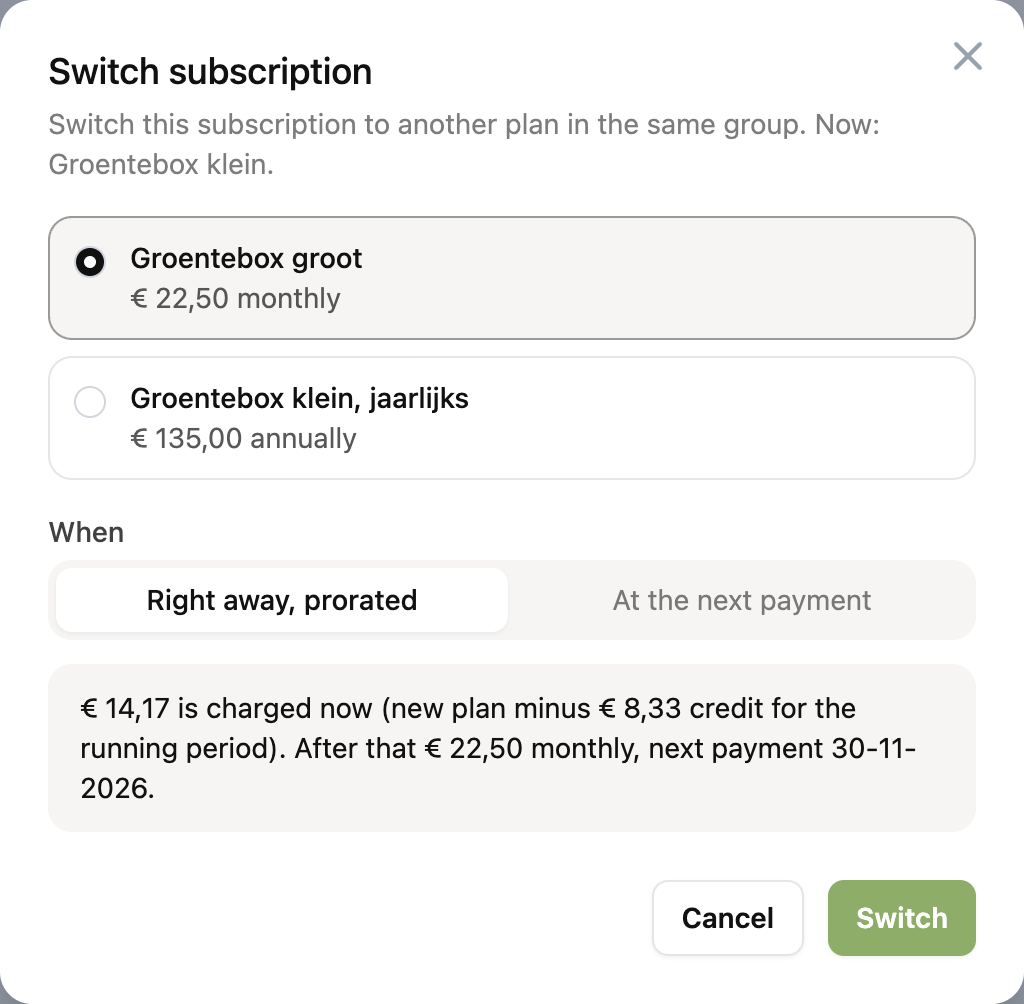
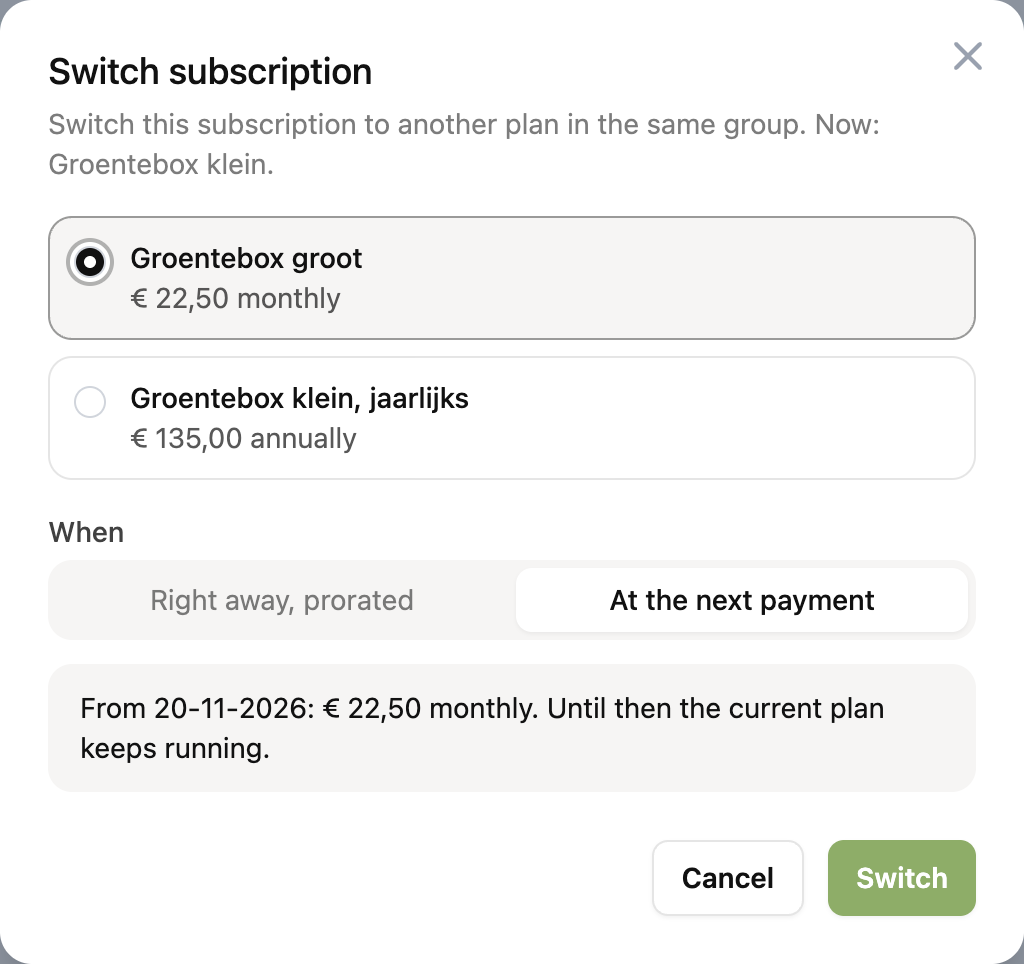
Choose the new plan. For each plan you see the amount and the billing period.
Under When choose Right away, prorated or At the next payment. Below the choice you see in words what the customer will pay and from when.
Click Switch.
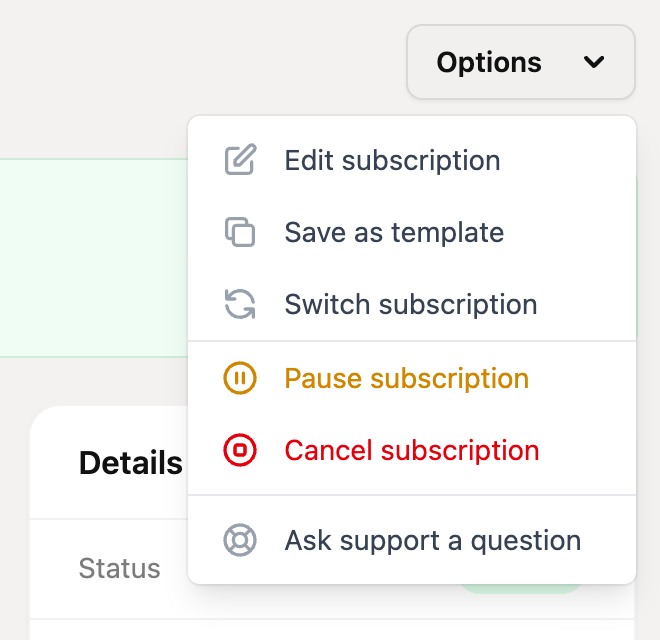
Is the Switch subscription option missing? See "Why do I not see the option?" below.
Right away, prorated
The subscription moves to the new plan immediately. What the customer already paid for the running period is credited:
Credit: the old amount in proportion to the days left in the running period.
To be charged: the new amount minus that credit. The customer pays this now.
New period: it starts today. This payment counts as the first payment of the new plan, and the next payment is a full period later.
An example. A customer pays € 12.50 a month and has 20 of the 30 days of the running period left. The credit is € 8.33. If you switch the subscription to a plan of € 22.50 a month, € 14.17 is charged now, and € 22.50 a month after that.
Collection. The difference is collected in the background, through the link with your invoicing app or through the customer's mandate. If the customer has no valid mandate you cannot switch right away. You get a message and nothing changes. If the collection fails afterwards, it is handled like any other failed payment.
More credit than the new plan costs. For example with a cheaper plan. Then nothing is charged. The remainder is taken off the next payments, or lapses. You set this under Credit that is left over in the customer portal settings.
Check. The amount is calculated again when you confirm. If it is different by then, the switch stops and you choose again.
You cannot switch right away if no payment has been created yet, or if the subscription has a running discount. Then it can only happen at the next payment.
At the next payment
The current plan keeps running until the next payment. From that payment on, the amount, the billing period and the other rules of the new plan apply. Nothing is settled.
While the switch is planned, it is shown under Details next to Group, and the subscription already shows the new amount as the next payment. You can withdraw the switch with Options and then Withdraw switch. If you plan another switch, it replaces the first.
What changes in the subscription?
After the switch the subscription has the payment rules and settings of the new plan, such as the amount, the billing period and the invoice settings. The subscription itself stays the same: the customer, the start date, the mandate and the history do not change. The log of the subscription shows who switched from which plan to which plan, and when.
Why do I not see the option?
The subscription has to meet these conditions:
It is an Advanced subscription and it is active. A paused, cancelled or ended subscription cannot be switched.
It is linked to a plan in a subscription group, and there is at least one other plan in that group with the same currency.
It has a next payment date and it is not cancelled.
The payment rule that is running now is continuous. A one-time rule or a rule with a fixed number of payments, such as a trial period, cannot be switched. Once that rule is done, it can.
Difference with a switch by the customer
If you switch the subscription, the customer portal settings do not apply. You can always choose between right away and at the next payment, and there is no minimum number of days between two switches. The customer does not get a confirmation email from RCUR, so let them know yourself.