
A reminder makes sure you (and optionally your customer) are reminded that a payment link is still open. That way you don't have to keep track of who hasn't paid yet.
Setting up a reminder
- Create a new payment link, or edit an existing one.
- Turn on the Reminders option.
- Under Reminder at, choose the date of the first reminder. This date must be in the future.
- Do you also want the customer to receive the reminder by email? Then link the payment link to a customer, turn on the Emails option and choose an E-mail template (reminder).
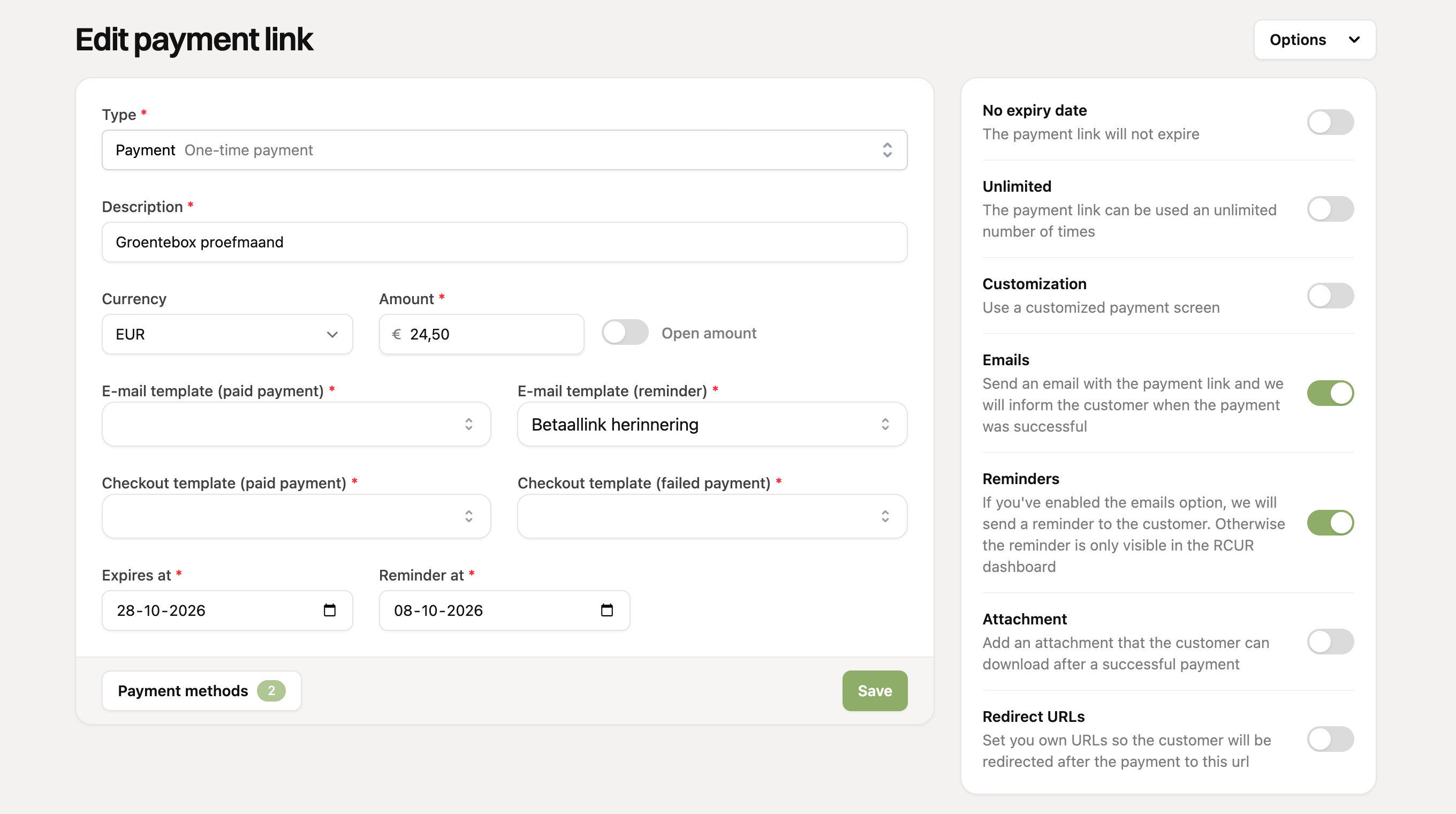
Is the payment link not linked to a customer, or is the Emails option off? Then only you see the reminder in the RCUR dashboard and the customer does not receive an email.
What happens on the reminder date?
From the reminder date, the payment link appears on the Reminders page for as long as it is still open. As soon as the link is paid, expires or is archived, it disappears from there automatically.
If emails are on, we send the customer an email with the payment link every day around 10:00. After that we send another reminder every 3 days by default, until the link is paid or expires.
The Reminders page
On the Reminders page you see for each open payment link:
- the description, the customer and the amount;
- whether the customer gets an email: Will be emailed, Dashboard only, No email template (choose a template again on the link) or Maximum reached;
- how many reminders have been sent, when the customer was last emailed and when the next reminder is due.
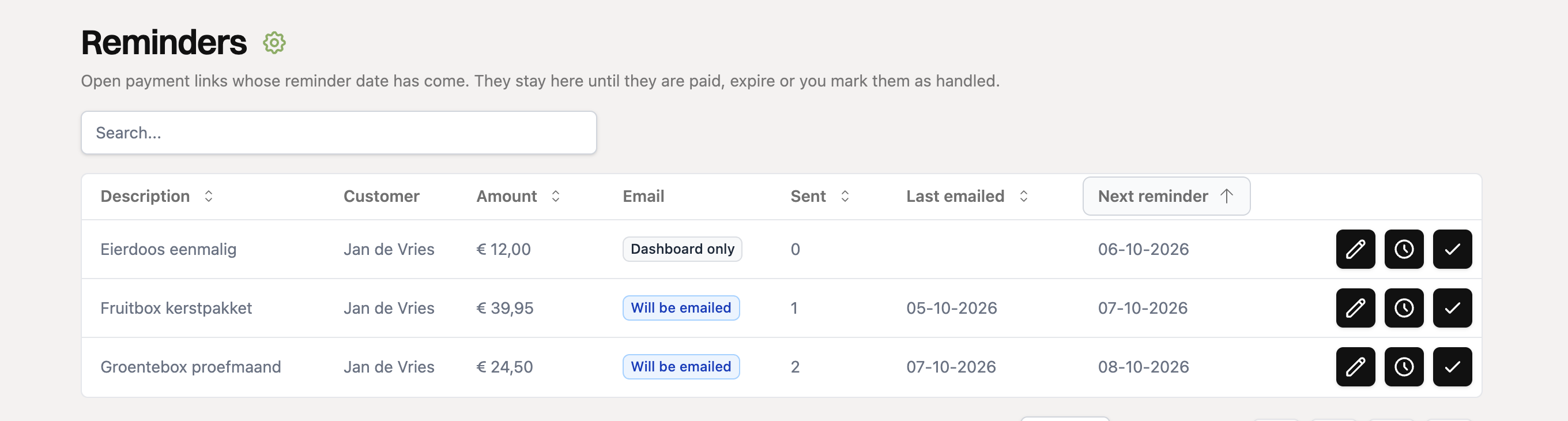
For each link you can choose from three actions:
- Edit payment link: for example change the amount, the expiry date or the email template.
- Remind again later: choose a new date. The reminder disappears from the page until that date and the number of reminders sent starts again at zero.
- Handled: turns the reminder off. The payment link itself keeps working.
How often and for how long?
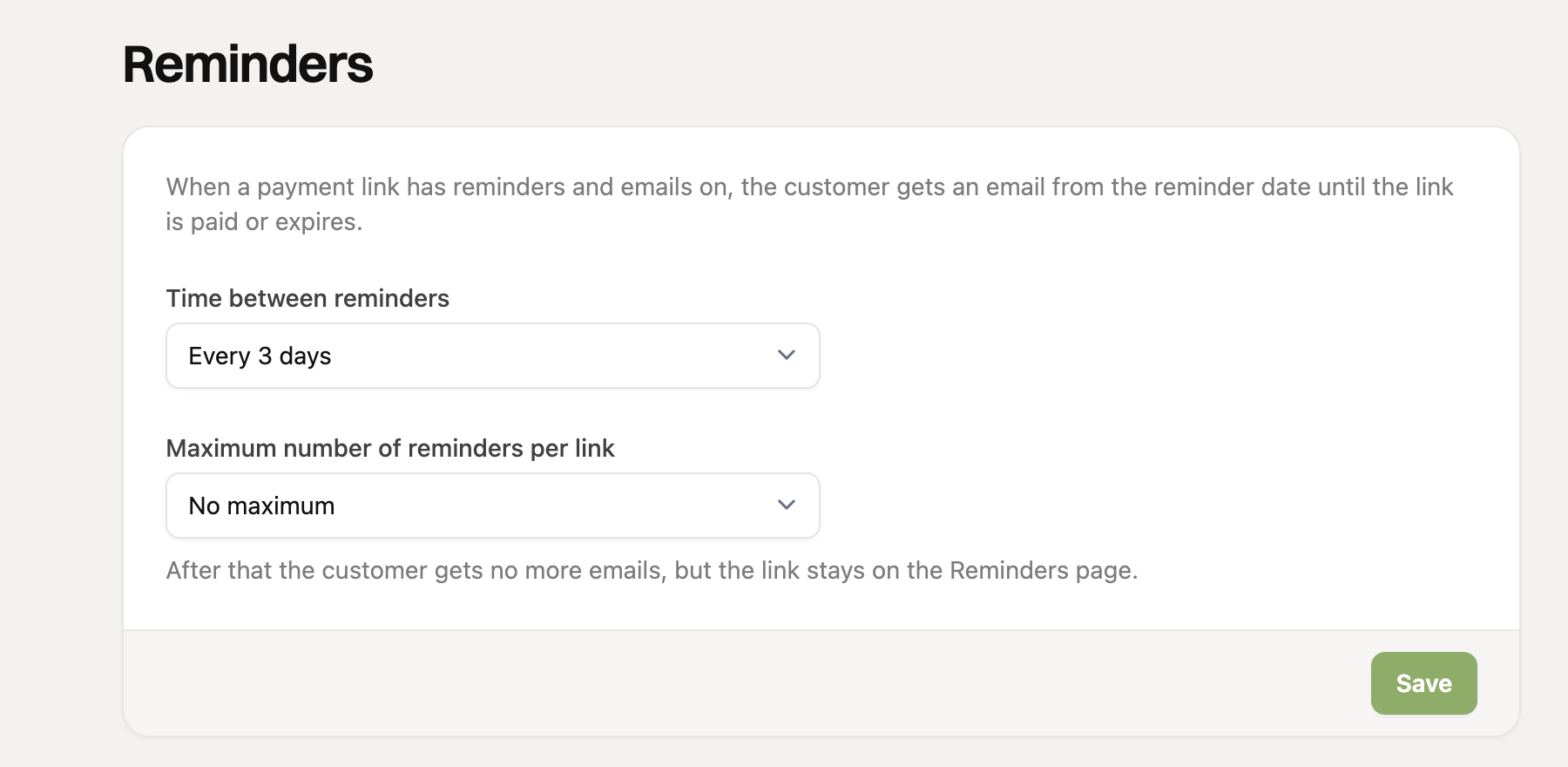
Under Settings > Reminders you set this for your whole organization:
- Time between reminders: from every day to every 30 days (default 3 days).
- Maximum number of reminders per link: from 1 to 20, or no maximum. Once the maximum is reached, the customer receives no more emails, but the link stays on the Reminders page.
Changing the email text
You edit the text of the reminder email under Settings > Templates. In the subject and the text you can use these fields: {name}, {link}, {desc}, {amount}, {expiry_date} and {organization}. They are filled in automatically for each customer and payment link.
Choose a reminder date well before the payment link expires, so your customer still has time to pay.