
The payment link report shows how your payment links perform. You see how many people open the payment page, how many of them start a payment and how many end up paying. This tells you quickly which link works well and where customers drop off.
Where do I find the report?
- All links together: go to Reports & exports in the menu and choose Payment links.
- A single link: click a payment link in the overview, or click the bar chart button behind the link in the Payment links list.
At the top you choose the period: the last 30, 90 or 365 days.
The overview of all links
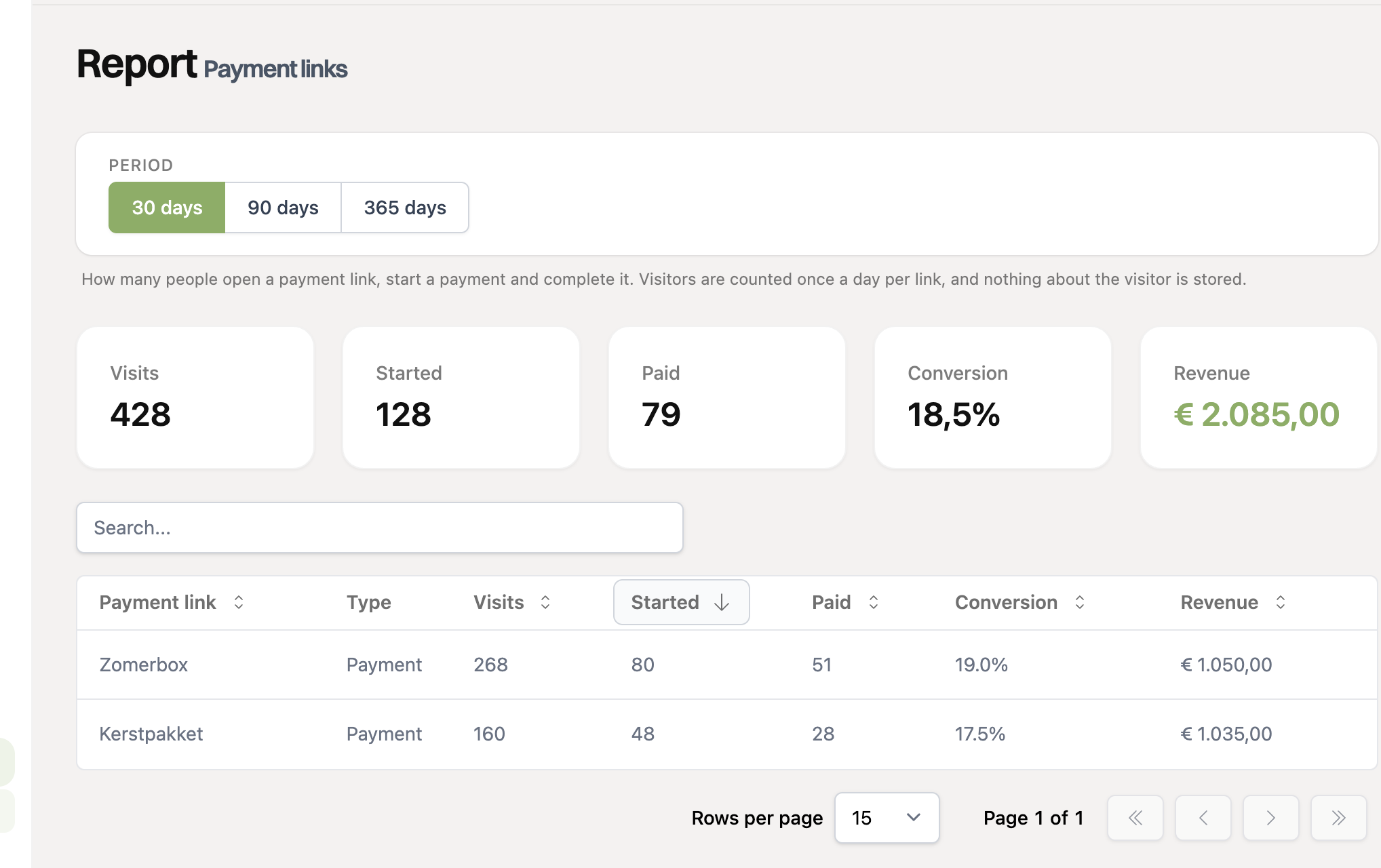
At the top are the totals of all your payment links. Below is a table with a row per link. In this table you can search for the name of a link and sort on a column, just like in the payment links list. Click a row to open the report of that link.
What do the numbers mean?
- Visits: how often the payment page was opened.
- Started: how many payments a customer began, for example by choosing a payment method.
- Paid: how many of those payments were completed.
- Conversion: the share of visitors that ended up paying.
- Completed: the share of started payments that were completed. A low percentage here means customers only drop off during the payment itself, for example at their bank.
- Revenue: the sum of the paid payments. Amounts in different currencies are never added up, they are shown separately.
The report of a single link
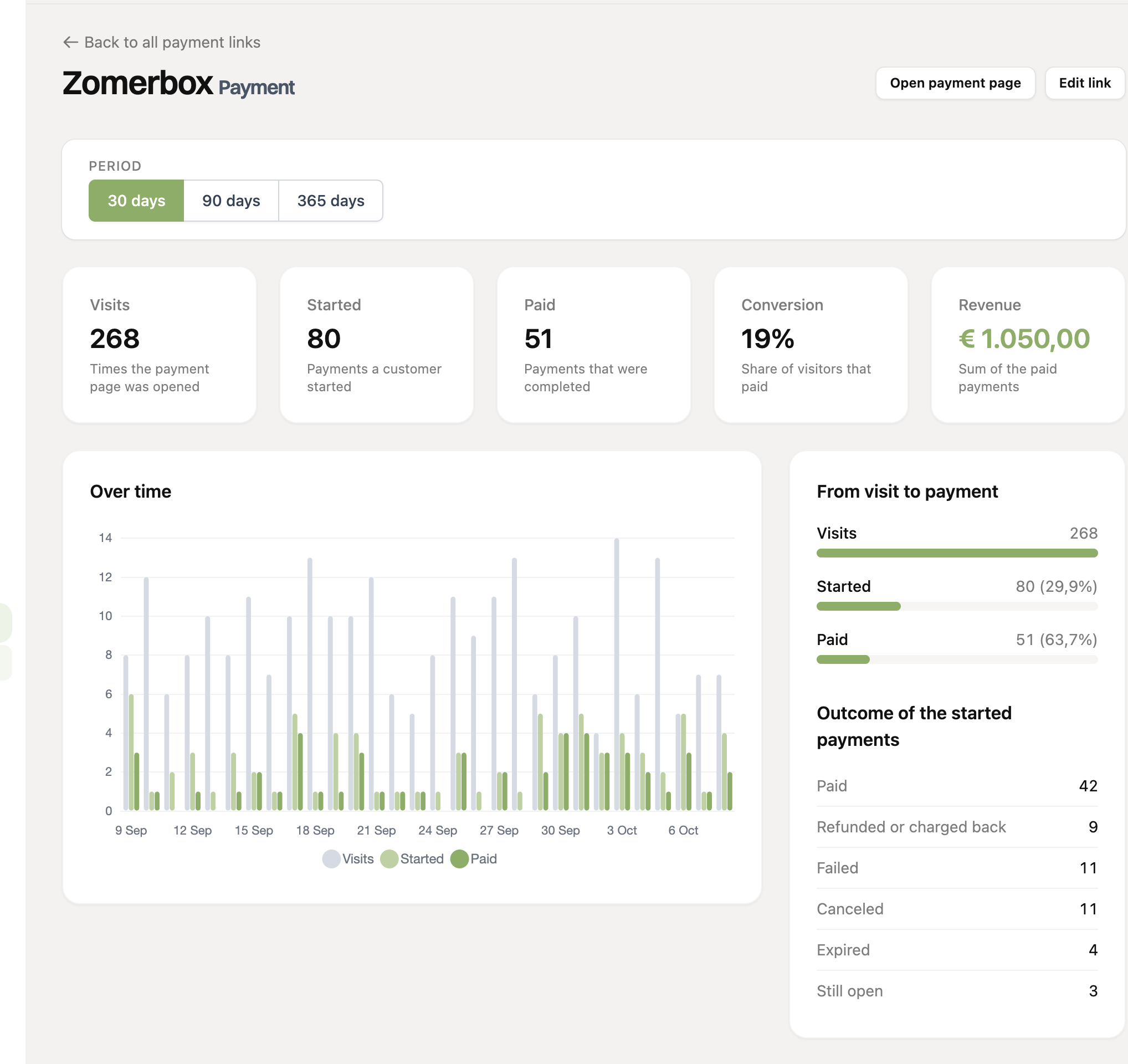
The report of a single link shows the same numbers, plus:
- Over time: a chart with visits, started and paid payments per day, per week (for 90 days) or per month (for 365 days). Hover over a bar to also see the revenue of that period.
- From visit to payment: see at a glance where most customers drop off.
- Outcome of the started payments: how many payments were paid, refunded, failed, canceled, expired or are still open.
- Payment methods: per method how many payments were started and completed. This shows whether a method fails often.
At the top are buttons to open the payment page or edit the link.
How do we count visits?
- A visitor counts once a day per link, even if they open the page several times.
- Search engines, link previews (for example in WhatsApp or Slack) and other robots are not counted.
- We store nothing about the visitor. Only the number of visits per link per day is kept.
Visits and revenue are only tracked since the report was introduced. Older payments still count as started and paid, but without visits and revenue. As a result, the conversion of an older period can be too low or unavailable.
A payment that was refunded or charged back later still counts as paid, but not in the revenue.