Log in to your e-Boekhouden account and go to Beheer
Under the section “Inrichting” go to Koppelingen
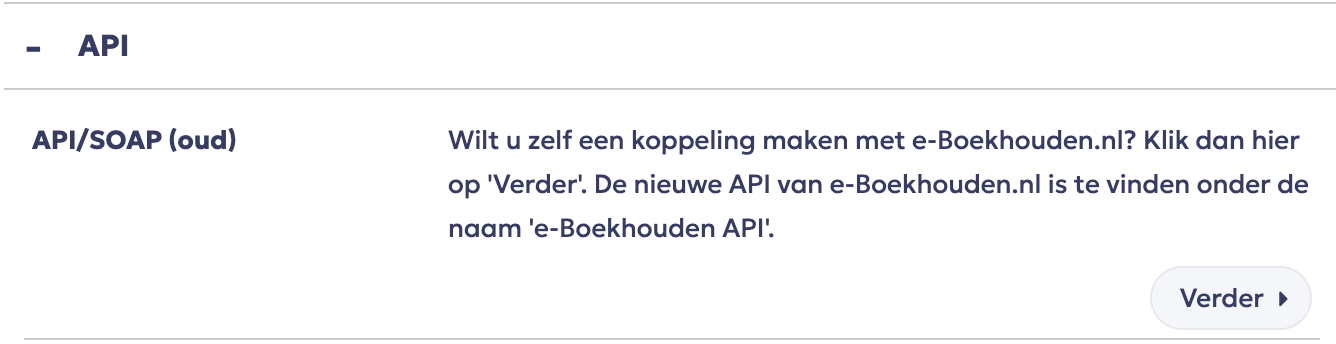
Open the section “API” and click on “Verder” behind API/SOAP
Log in to RCUR and go to Instellingen > Integraties.
Choose as invoicing app e-Boekhouden.
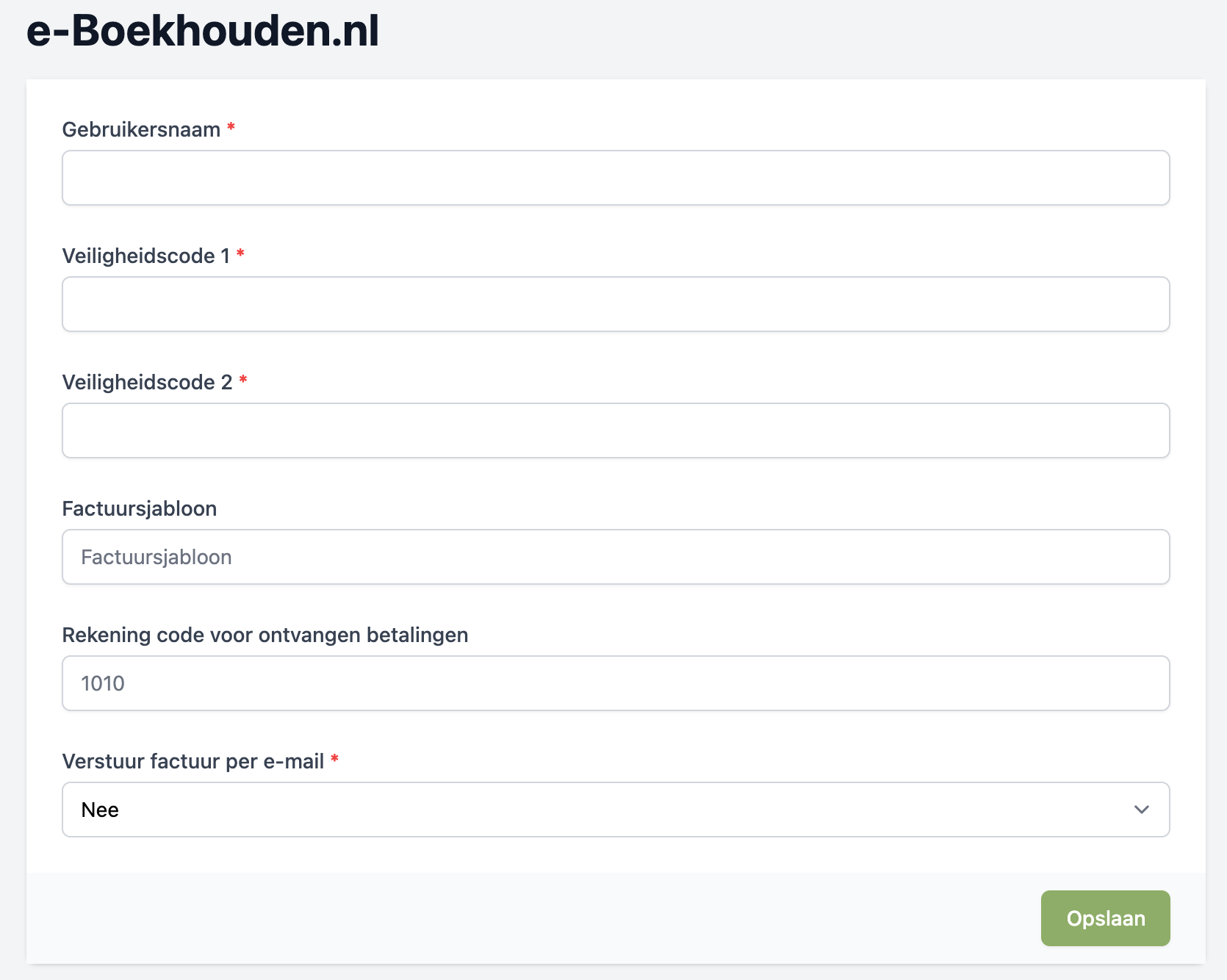
Fill in the required details;
Username and both security codes that are visible on the API page in e-Boekhouden
Factuursjabloon (invoice template): If you want to use a different invoice template, enter the exact name of that template here.
Rekening code voor ontvangen betalingen (account code for received payments): Enter the ledger account code the payments should be booked to. By default this is ledger 1010 (Bank).
Verstuur factuur per e-mail (send invoice by email): If you also want to send the invoices to the customer by email, set this to Yes. You can then enter the sender details and the message that is emailed to the customer.
In the subject and message you can also use template codes. These are variables that e-Boekhouden replaces with specific information about the invoice. You can find information about the template codes here
Your account is now connected and the invoicing features are activated.