
With a discount code you give your customer a discount on a payment or a subscription. Your customer enters the code at checkout and the discount is applied straight away. This lets you run promotions, welcome new customers or make an offer to customers who want to cancel.
Discount codes are available in the Professional plan.
Creating a discount code
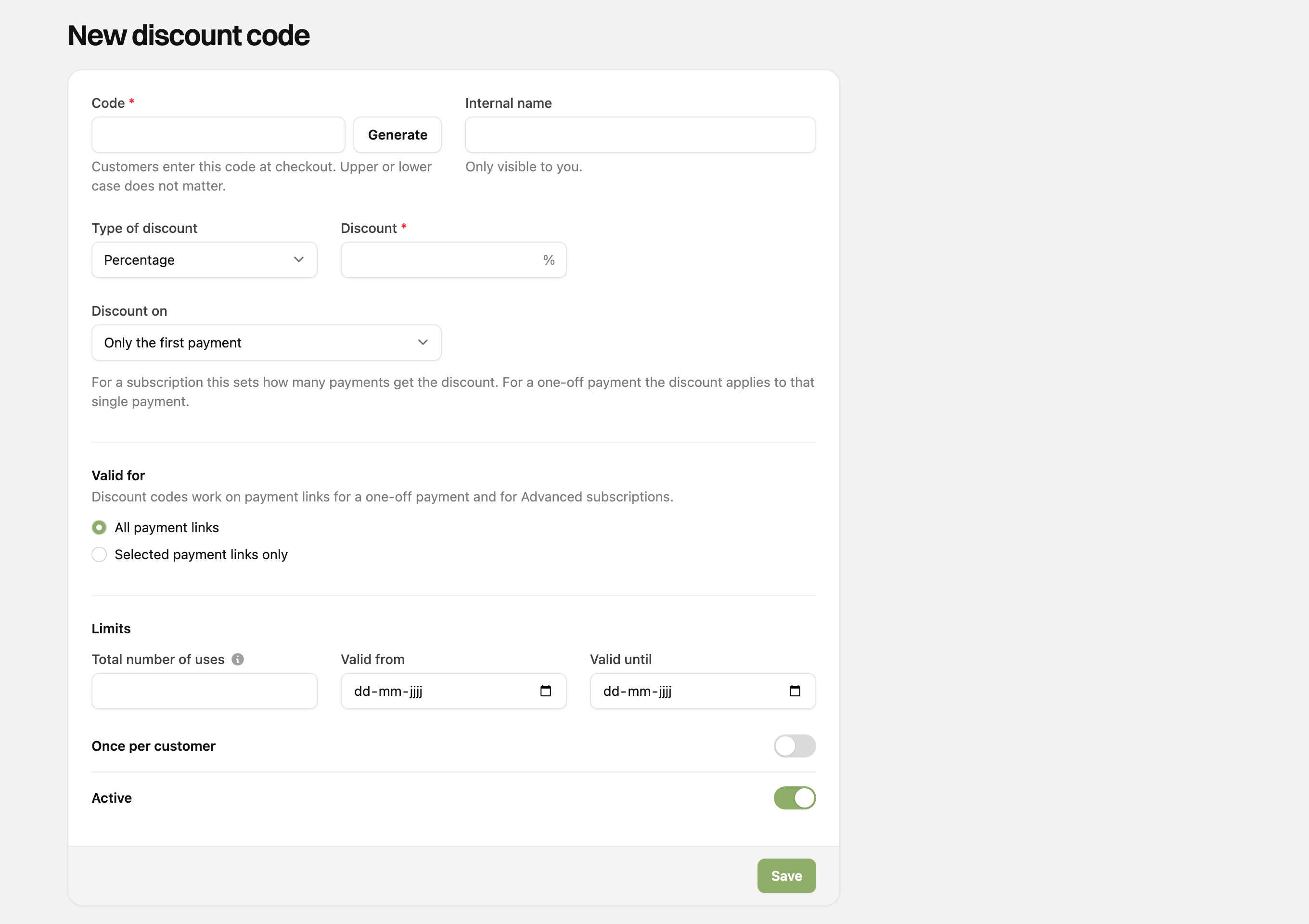
- Go to Discount codes in the menu and click Add discount code.
- Enter the code, or click Generate. Upper or lower case does not matter to your customer. The internal name helps you recognize the code; your customer does not see it.
- Choose the type of discount: a percentage or a fixed amount. For a fixed amount you also choose the currency.
- Under Discount on, choose which payments get the discount: only the first payment, a number of payments or all payments.
- Under Valid for, choose whether the code works on all payment links or only on the links you select.
- Optionally set limits (see below) and click Save.
Discount on one or more payments
The choice under Discount on sets how long a customer keeps the discount:
- Only the first payment: handy for a welcome discount or a trial offer. A one-off payment has only one payment, so use this option there.
- A number of payments: for example 15% off a subscription for 3 months.
- All payments: the customer gets the discount for as long as the subscription runs.
On a Basic subscription you can only use a code that applies to the first payment. For multiple payments you need an Advanced subscription.
Limits
Under Limits you keep control over how a code is used:
- Total number of uses: across all customers together, for example 100 for the first 100 customers. Leave it empty for unlimited.
- Valid from and Valid until: for a promotion with a start and end date.
- Once per customer: a customer cannot use the code again.
- Active: if you turn a code off, it no longer works.
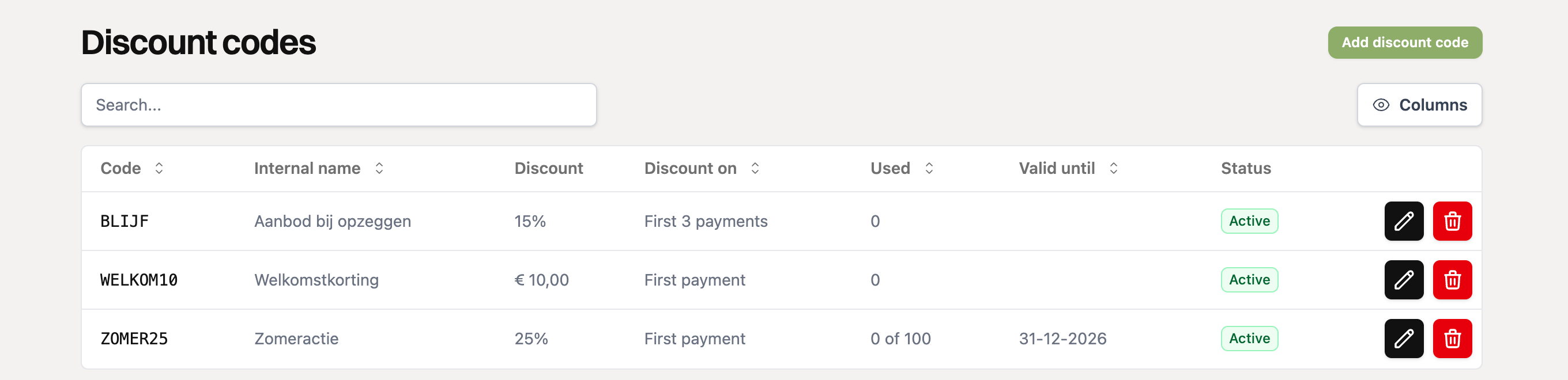
The overview shows how often each code has been used and its status: Active, Inactive, Scheduled, Expired or Used up.
Where does your customer use the code?
Your customer enters the code on the checkout page of a payment link, with the Add discount code button. The discount appears straight away in the summary, with the code and the new amount. Codes work on payment links for a one-off payment, for subscriptions and for orders.
- The discount code field only appears on a checkout page if at least one code can be used on that link.
- A code that does not exist, has expired or is used up, or does not apply to the link or the currency, shows an error message.
- Is the amount zero after the discount? Then your customer does not have to pay and only confirms.
You can read more about discount codes for an order in Can I use a discount code with orders?
Discount on a running subscription
You can also give a discount on a subscription that is already running, with an existing discount code or without a code (with your own percentage or amount and number of payments). Open the subscription and use the Discount block with Apply discount. The discount applies from the next payment. A subscription has only one discount at a time: to give a different one, remove the current one first. Earlier discounts stay visible under Earlier discounts.
Offering a discount when cancelling
Do your customers cancel through the customer portal? Then you can first offer a customer who wants to cancel a discount, with an existing discount code or a unique code per customer. You can read more about this in the customer portal settings.
Overview of discounts given
Under Reports & exports you find the Discount given report. It shows how much discount you gave per month, to how many customers and which codes were used most. On the invoices RCUR creates in your accounting software, the discount appears as a separate line.
Give a promotion a limited duration or a maximum number of uses. That way you know in advance what it can cost you at most.