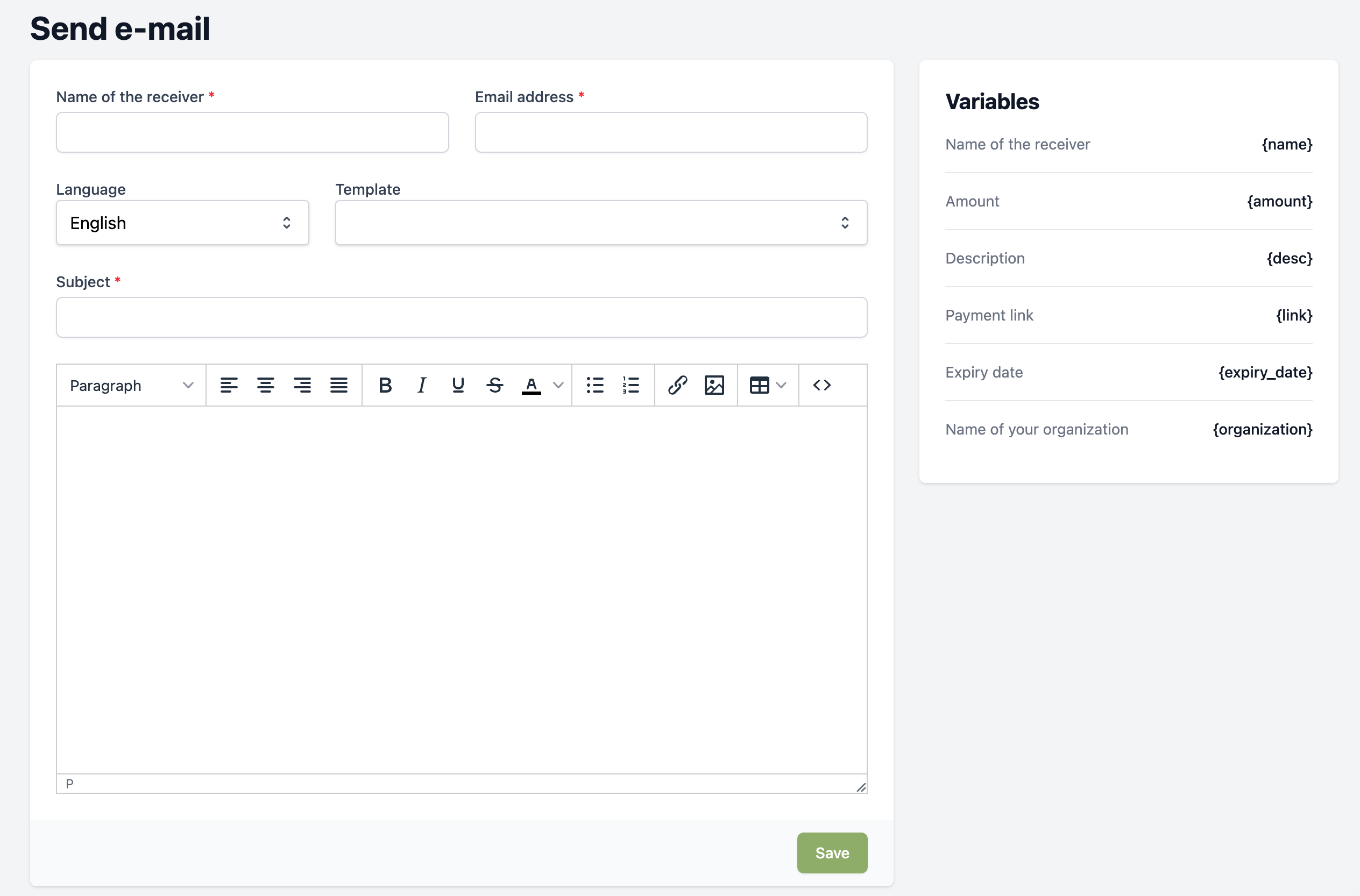
When you have created a payment link, you can copy the link and send it via your own e-mail client or any other messaging app, or you can send an e-mail directly via RCUR.
After creating a link you can click on the enveloppe icon behind the link
Here you can fill in the details of the customer and compose an email, or easily select a template to prefill the subject and message.